Agencies1 min read

Sales Pitch Pages: a personal page for every prospect

Agencies can now turn a prospect's own AI visibility scan into a signed, personal page on its own address, ready to share or present on a call.

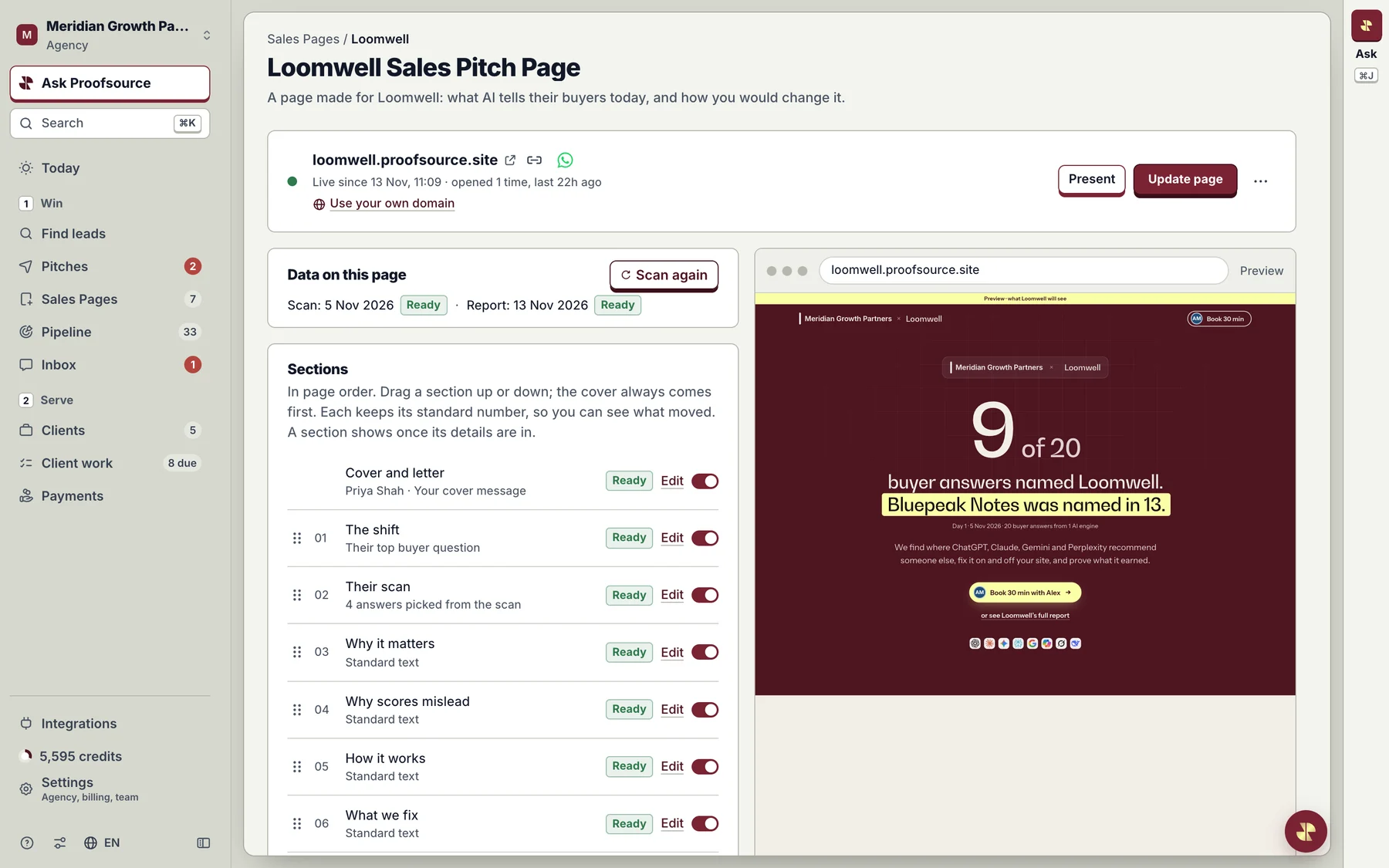
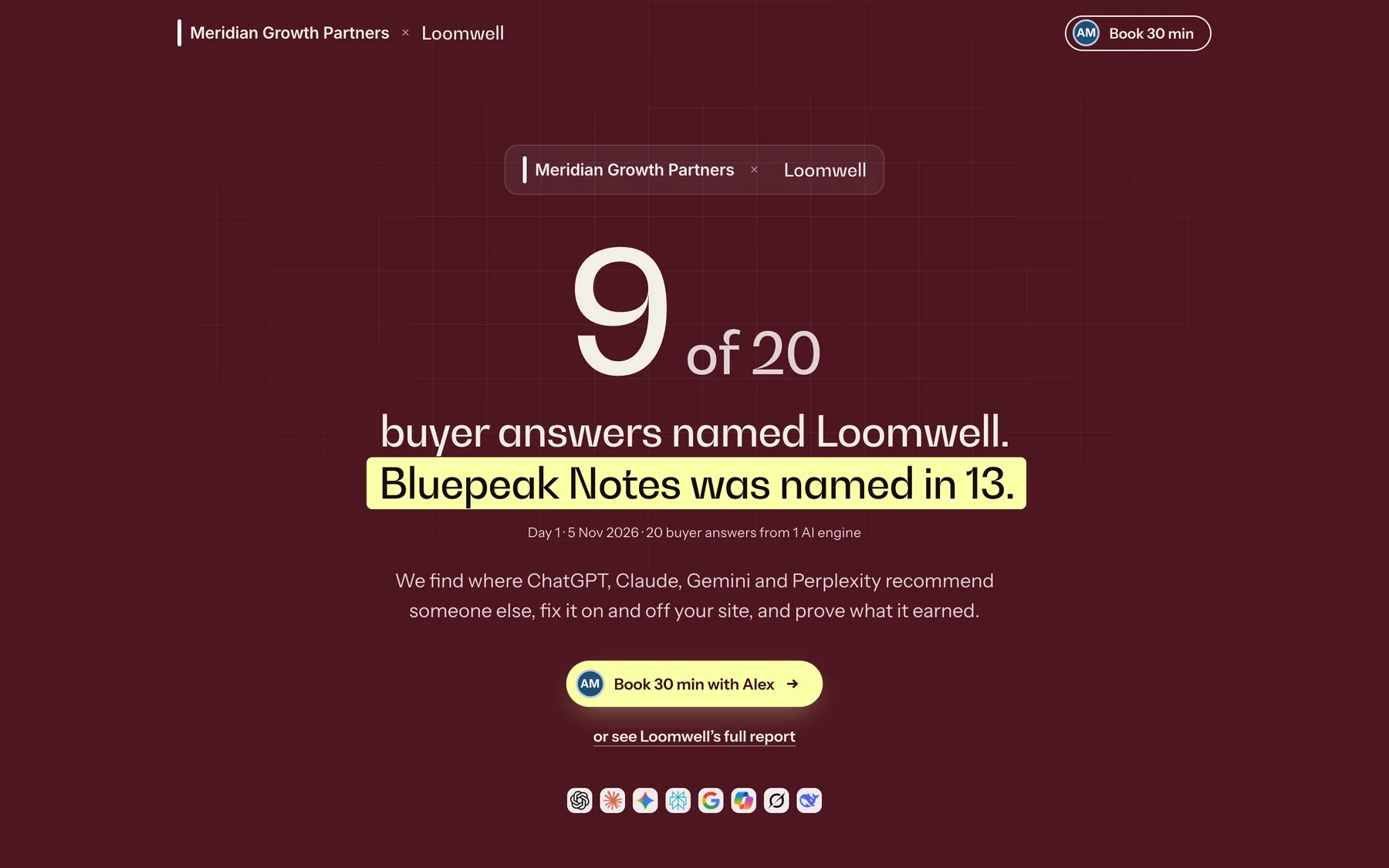
A Sales Pitch Page cover: the agency and prospect names, 9 of 20 buyer answers named the prospect, a competitor named in 13, and a Book 30 min button.
What your prospect opens: their own AI answers, your name on top. Demo agency, sample data.

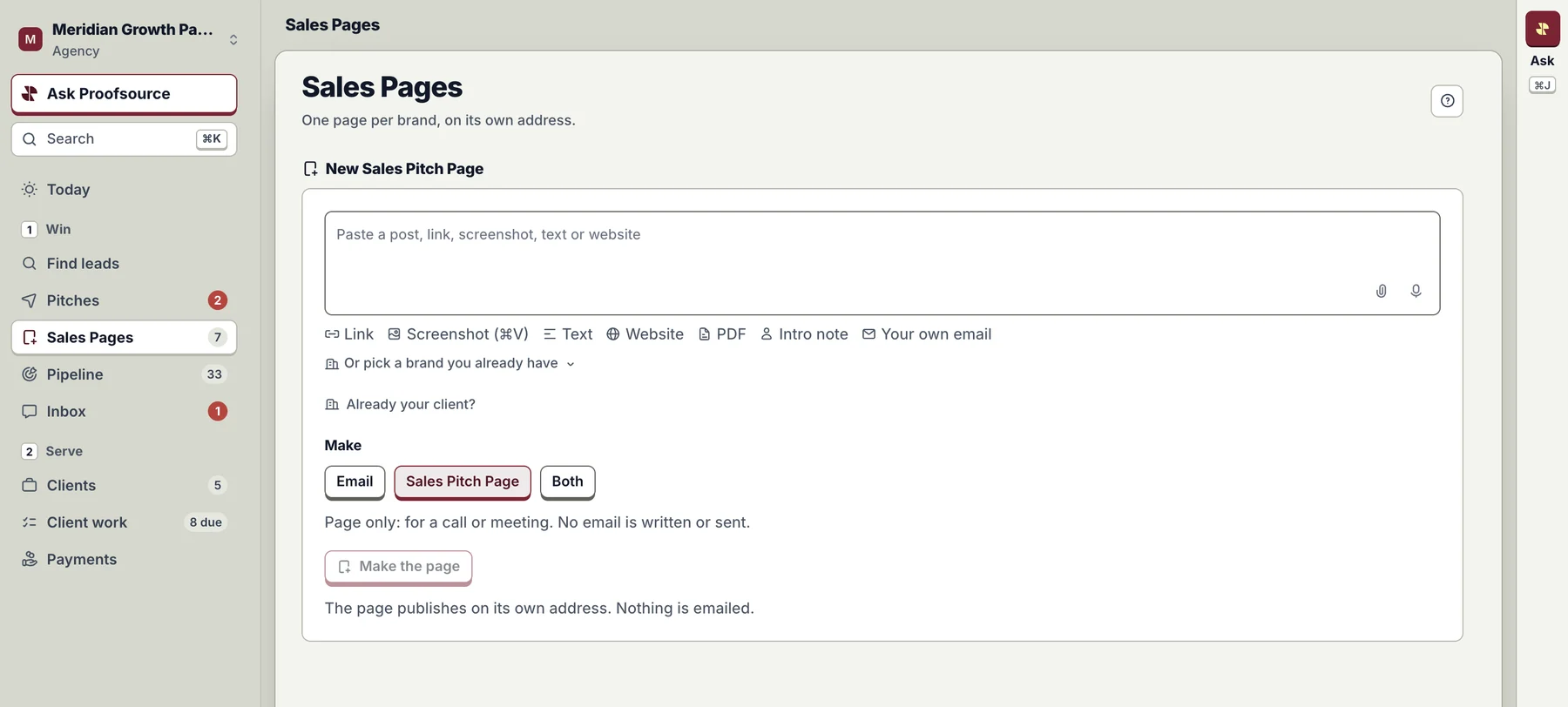
Paste a prospect's post or link, and Proofsource makes them a personal page from their own AI answers, signed by your agency.

  1. 1Paste a post or link
    The New Sales Pitch Page composer: paste a post, link, screenshot, text or website, then Make the page.
  2. 2Check sections, see the preview
    The page builder: data on the page, sections with Edit and on-off switches, and a live preview.
  3. 3Live on its own address
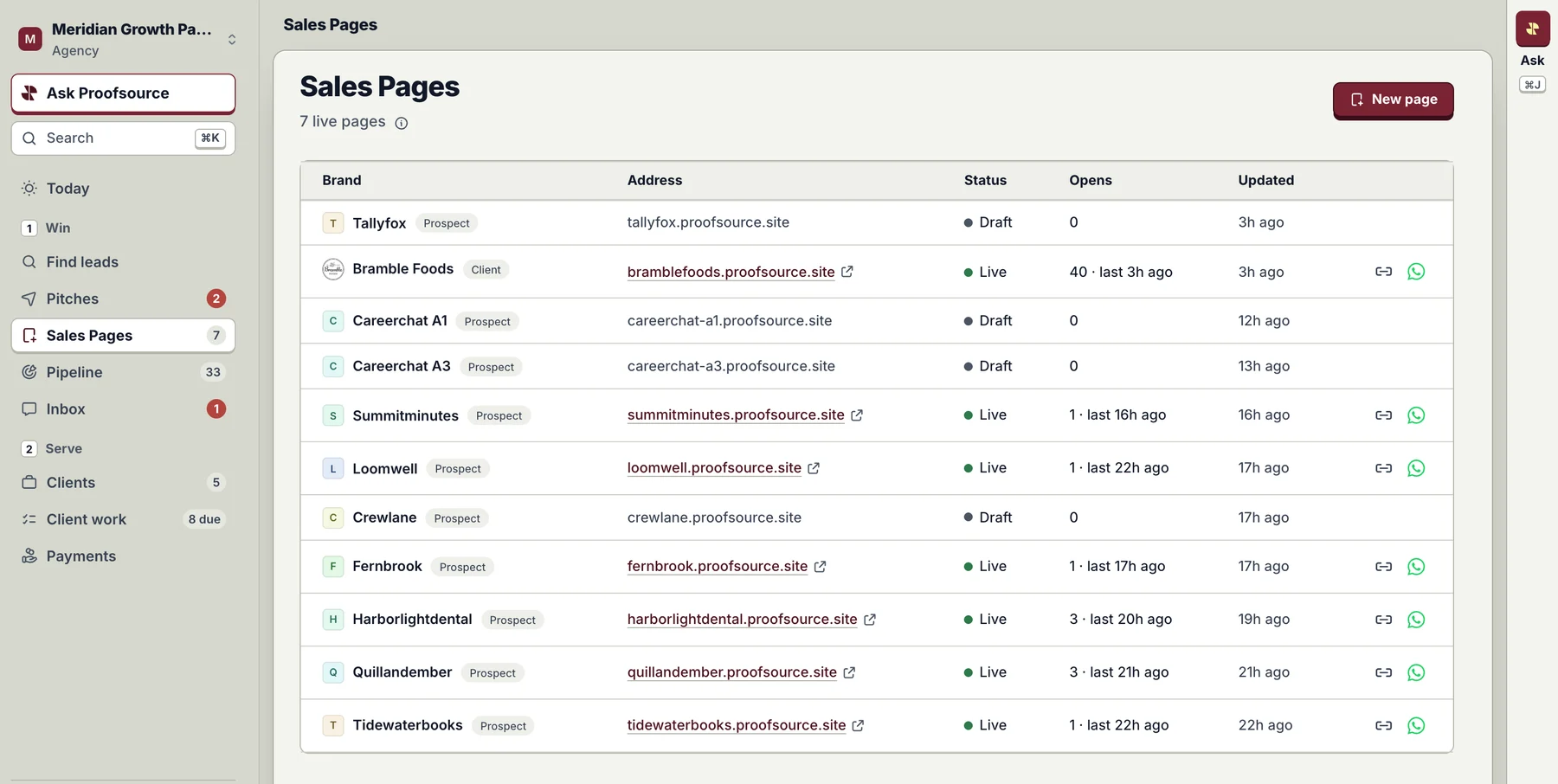
    The Sales Pages list: each brand with its address, status, opens and share buttons.
From a pasted link to a live page, in the Sales Pages menu. Demo agency, sample data.

What fills the page

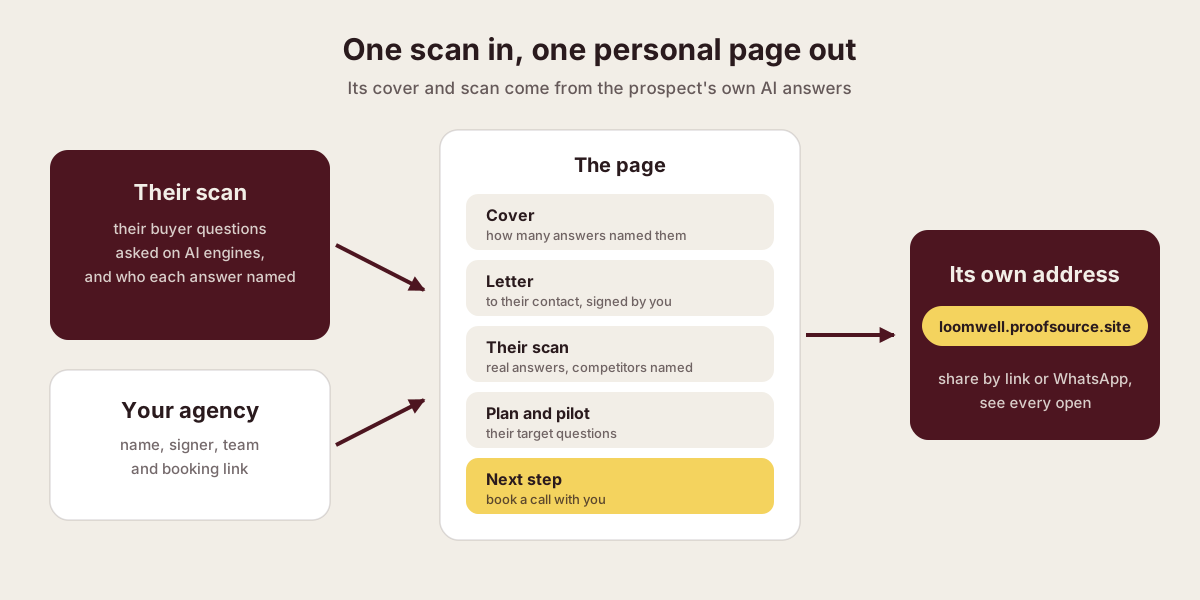
Diagram: the prospect's scan and your agency's details fill the page's cover, letter, scan, plan and next step, published at its own address.
The prospect's scan and your agency's details fill each section.
  1. Their scan

    Their buyer questions, asked on AI engines, and who each answer named.

  2. Your agency

    Your name, signer, team and booking link.

  3. The page

    Cover, letter, their scan, plan and pilot, and a call to book.

  4. Its own address

    Shared by link or WhatsApp, with every open counted.

Personal, then specific

A letter from you
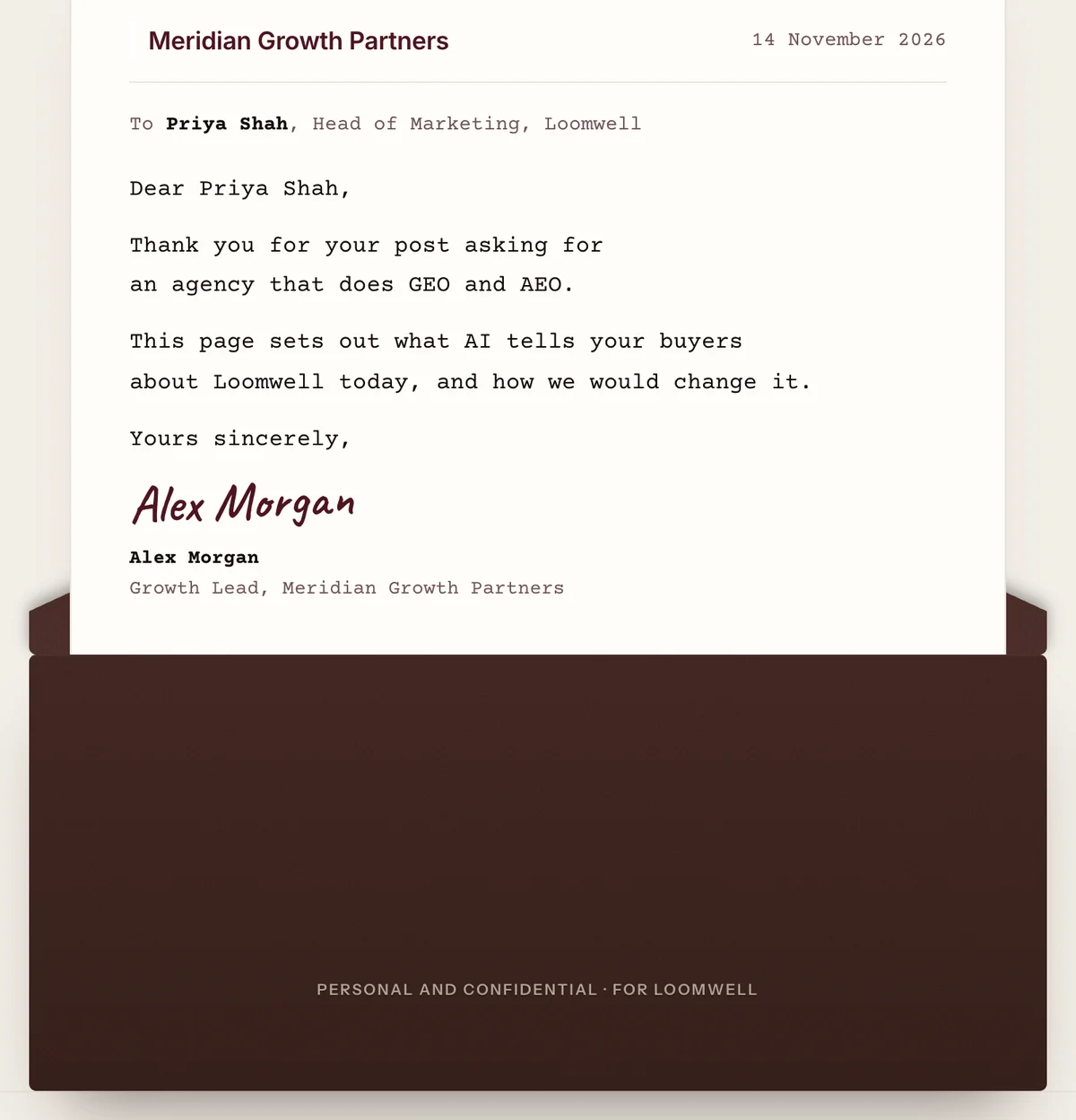
The page's letter to the prospect's head of marketing, signed by the agency's growth lead.
Their pilot, their questions
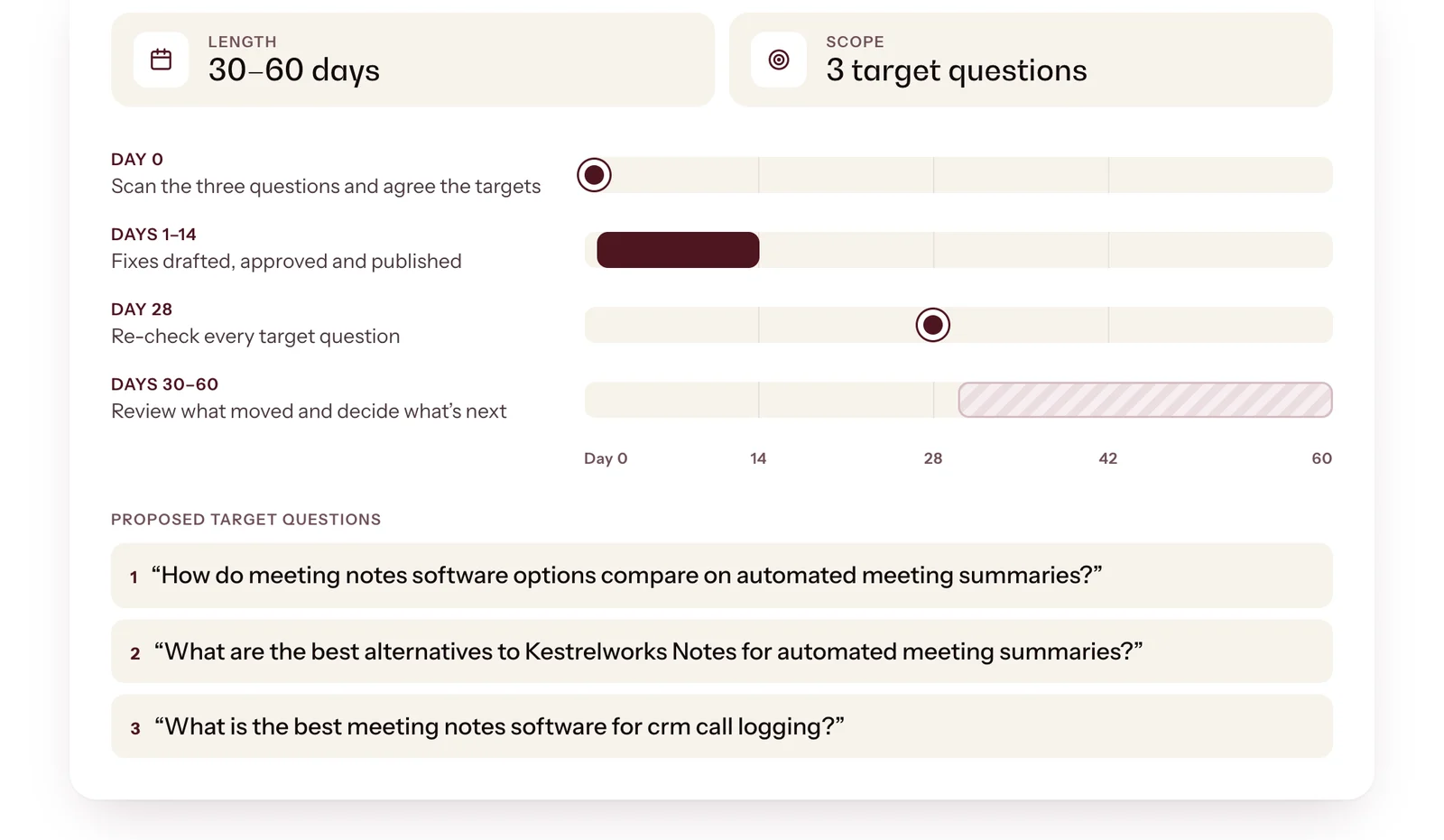
The pilot section: 30 to 60 days, 3 target questions, and a day-by-day timeline.
A signed letter to their contact, and a pilot built on their own questions.
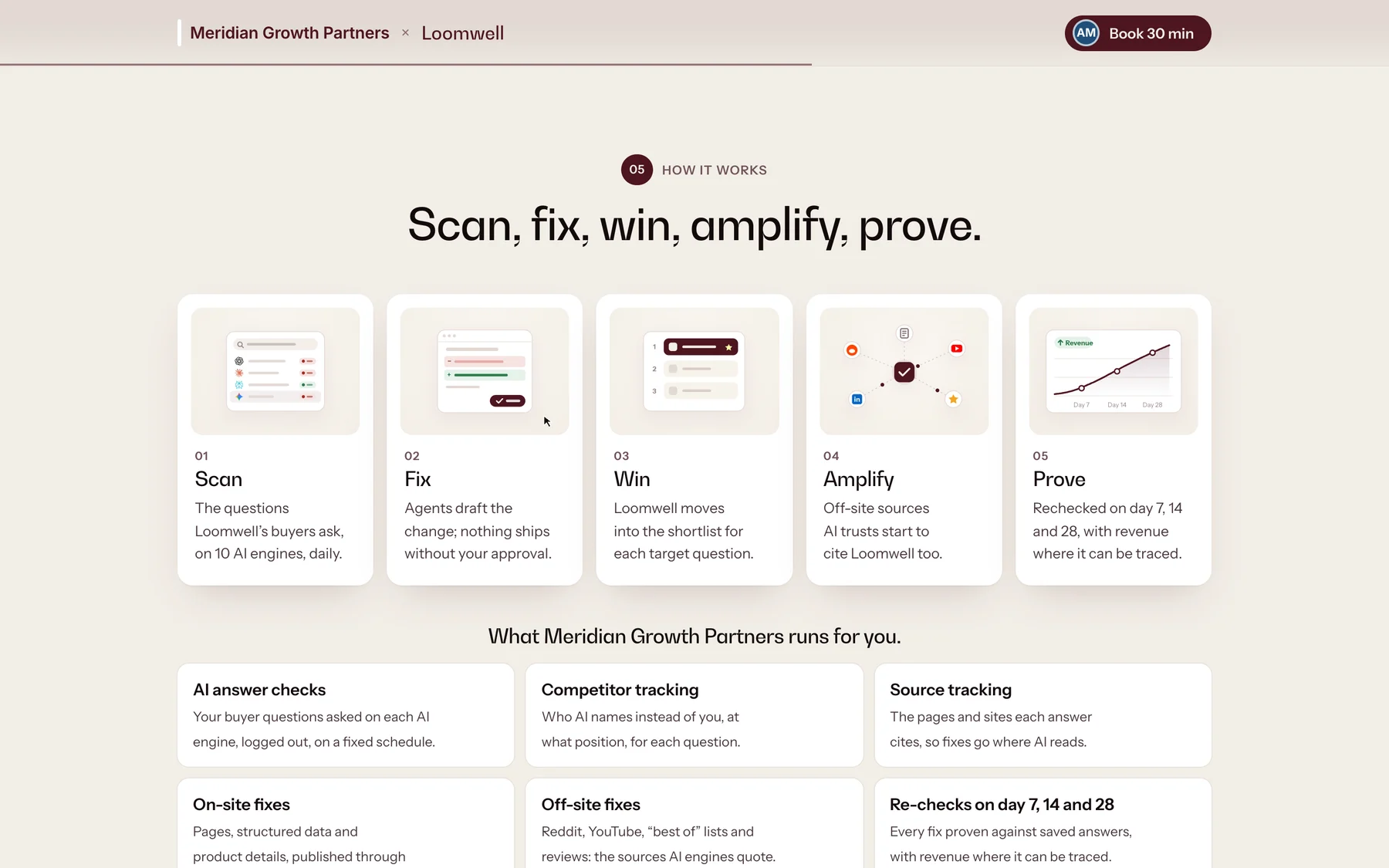
The How it works section of a Sales Pitch Page: scan, fix, win, amplify, prove, and what the agency runs.
Standard sections explain the work in the prospect's name. Switch off any you do not need.
1
page per brand, on its own address
11
sections to reorder or switch off
0
prices on the page

Availability

Live for every agency workspace: open Sales Pages in the sidebar and choose New page.

Proofsource for agencies

Further reading

Published · Questions or feedback? Write to us
Questions

Where does the page live?

On its own address, such as loomwell.proofsource.site. You pick the name before you publish.

Does the page show a price?

No. The plans section says what each plan includes and leaves the price for the call.

Can I take a page down?

Yes. Unpublish it from the builder at any time.

Pitch every prospect with their own AI answers.