Agencies1 min read

Find leads, pitch them, follow up from one inbox

Agencies can now find companies that fit in plain words, get a verified work email for each, pitch from their own AI answers and follow up on day 3 and day 7, all from one inbox.

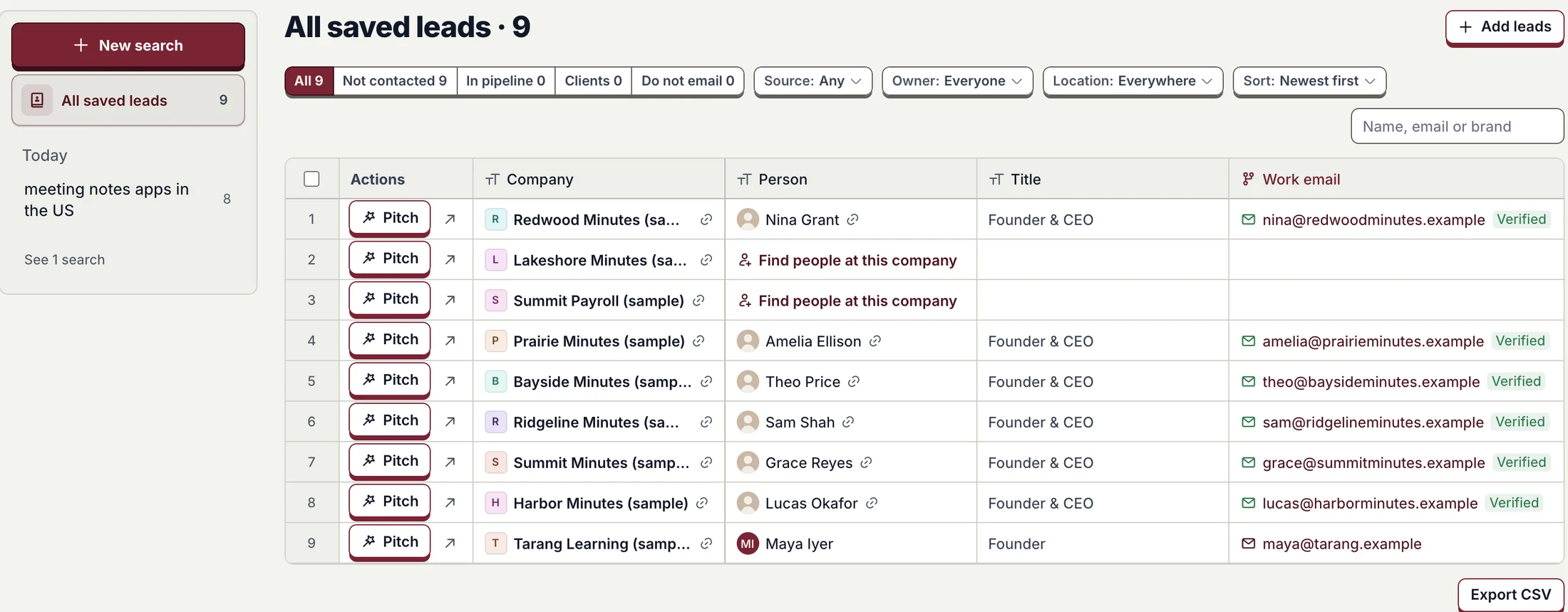
The All saved leads sheet: nine companies with the person, title and verified work email, a Pitch button on each row, and filters for stage, source, owner and location.
Every lead your team saved, with a verified work email and a Pitch button. Demo agency, sample data.

Describe who you want in plain words. Proofsource finds companies that fit, finds the right person and a verified work email, and keeps every search.

  1. 1Describe who you want
    New search: a plain-words box, How many from 1 to 25, Find leads, and searches suggested for today.
  2. 2See who fits
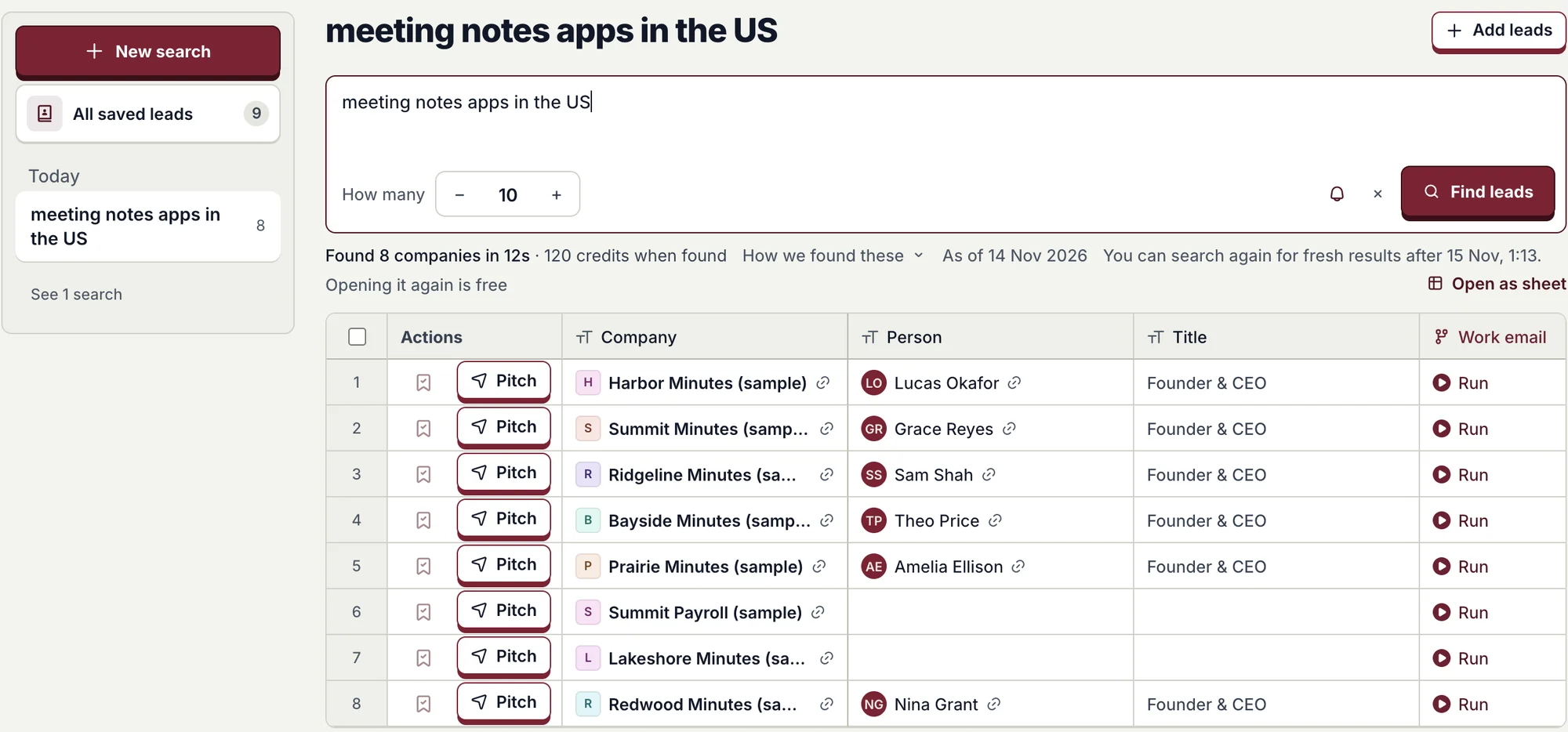
    A finished search: 8 companies found in 12 seconds, with the person, title and a Pitch button on each row.
Describe who, then see who fits, each with a Pitch button. Demo agency, sample data.
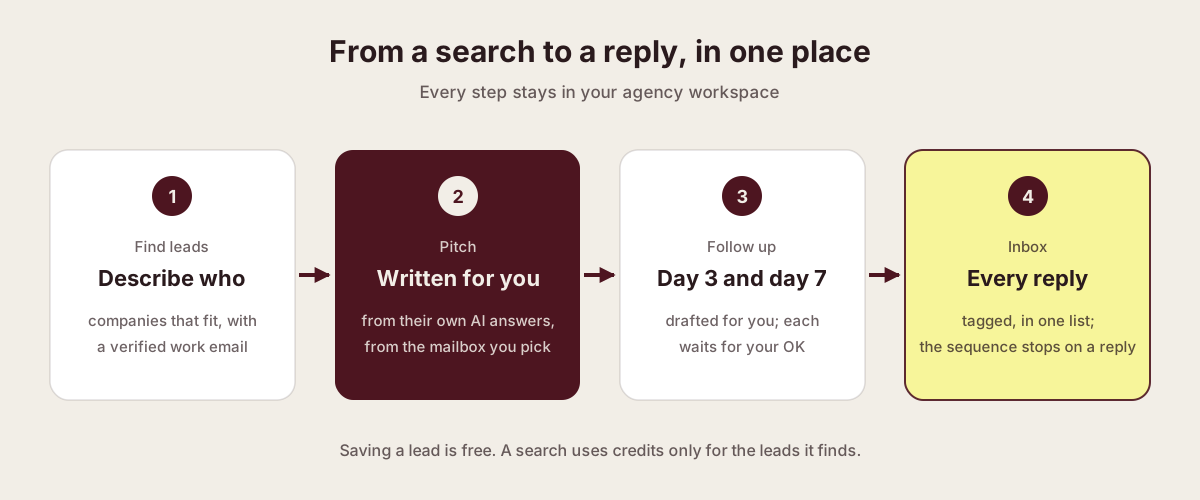
Diagram: find leads, a pitch written for you, follow-ups on day 3 and day 7 that wait for your OK, and every reply in one inbox.
One path from a search to a reply, inside your agency workspace.
  1. Find leads

    Companies that fit, with a verified work email.

  2. Pitch

    Written from their own AI answers, sent from the mailbox you pick.

  3. Follow up

    Day 3 and day 7, drafted for you, each waiting for your OK.

  4. Inbox

    Every reply in one list; the follow-ups stop on a reply.

Pitch from the mailbox you choose
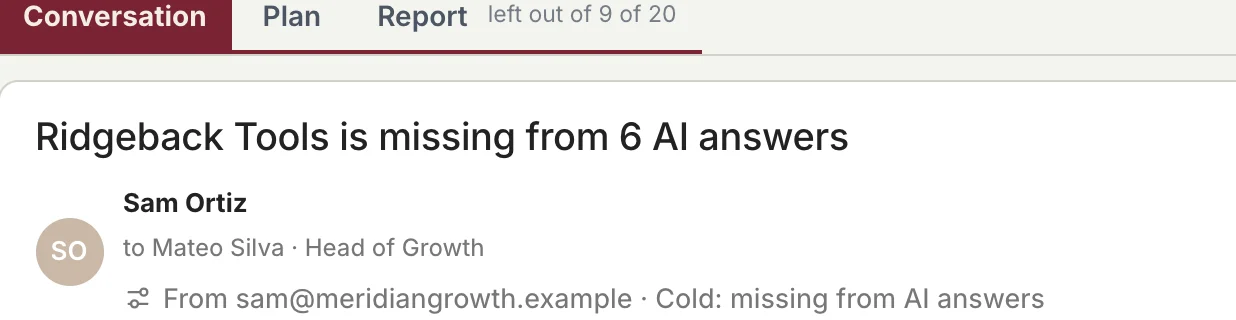
A sent pitch: the email header with the sender, the recipient and the From mailbox picker.
Pick which connected mailbox it goes from, right on the email. Sample data.

Follow-ups that wait for your OK

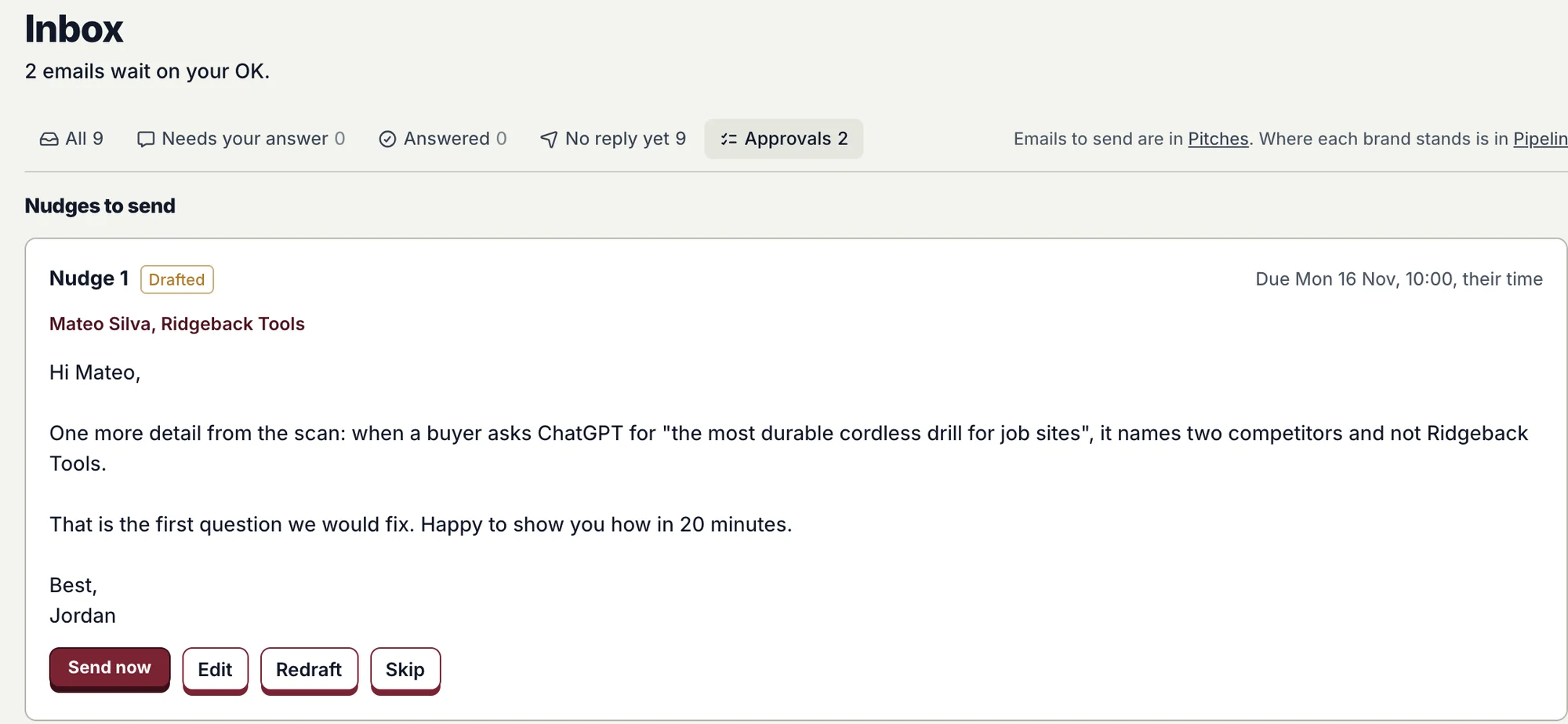
Inbox Approvals: a drafted follow-up due Monday at 10:00 their time, with Send now, Edit, Redraft and Skip.
The day 3 follow-up, drafted a day early. Send it, edit it, redraft it or skip it. Sample data.
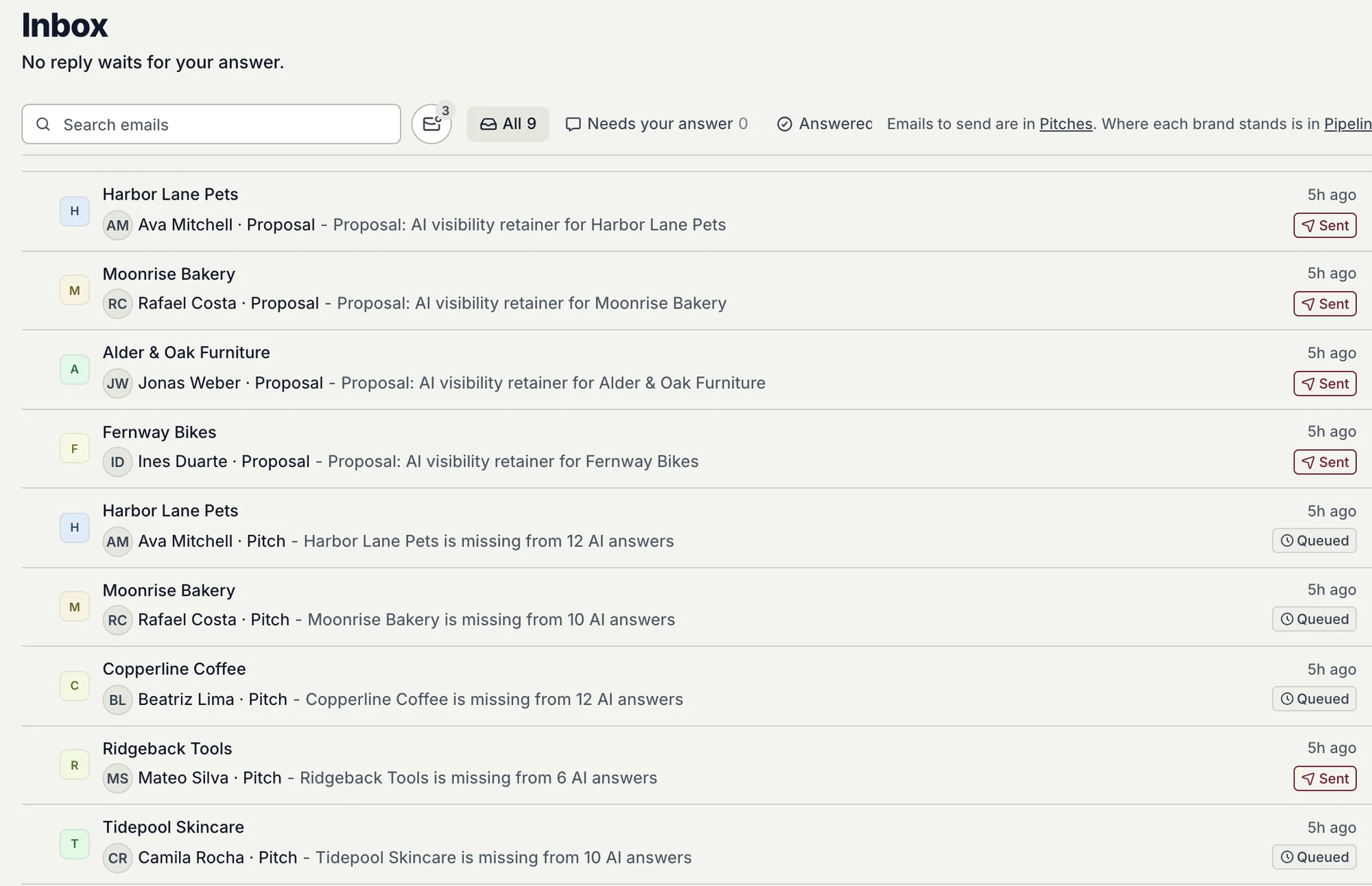
Inbox on All: every pitch and proposal email, each tagged with its brand, person and status.
Inbox opens on All, every email tagged, with views for replies, no reply yet and approvals.
  • Right time, their zone. Follow-ups go at 10:00 on a weekday where the person is.
  • Stops on its own. A reply, a bounce or an unsubscribe ends the sequence.
  • Pitch again. Close the old pitch or keep it, and start a new one on the same brand.
1-25
leads per search, 10 by default
Free
to save a lead or open a search again
Day 3, day 7
follow-ups, each waits for your OK

Availability

Live for every agency workspace: Find leads, Pitches and Inbox are in the sidebar. Searches use credits.

Proofsource for agencies

Further reading

Published · Questions or feedback? Write to us
Questions

What does a search cost?

It uses credits. Saving a lead and opening a search again are free.

Is every work email checked?

Yes. Each one is verified, and only verified emails use credits.

Do follow-ups send on their own?

Not by default. Each one waits in Inbox, under Approvals, for your OK.

What stops the follow-ups?

A reply, a bounce, an unsubscribe, or you sending by hand.

Find the brands AI leaves out, and pitch them first.