One message to a friend can pay you every month.
Meet Maya. She knows a few people who run local shops. Here is how she became a Proofsource partner in a minute, step by step, and how you can too.
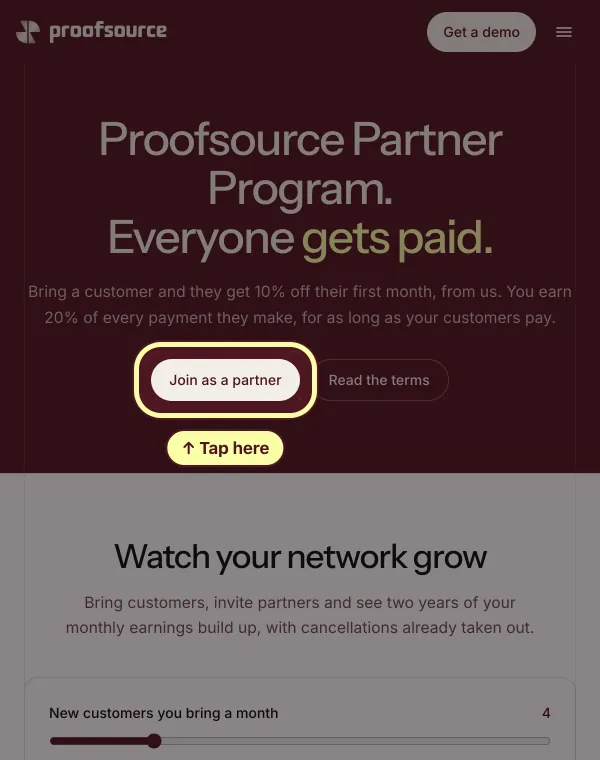
Step 1: Maya opens the partner page
Go to proofsource.co/partners. Tap Join as a partner. It's free.
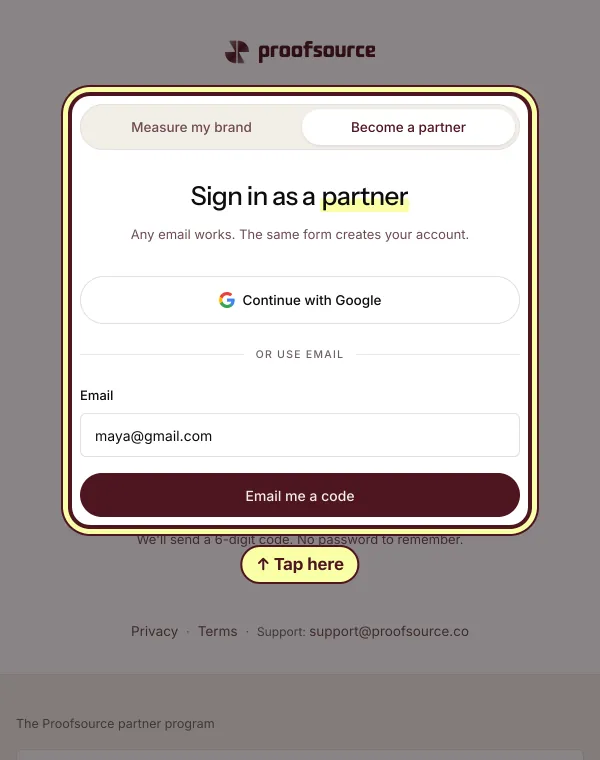
Step 2: She types her email
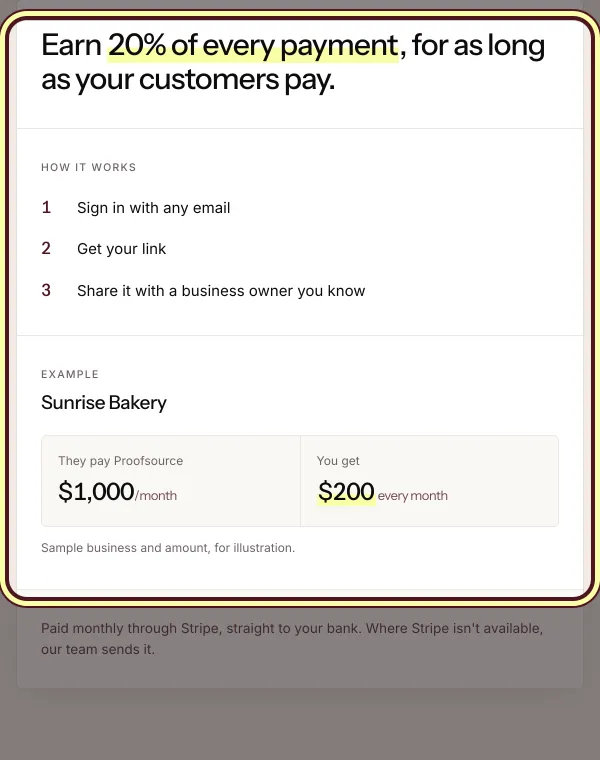
At the top, tap Become a partner. Any email works. Type yours and tap Email me a code. Or tap Continue with Google. Under it, you see what you earn.
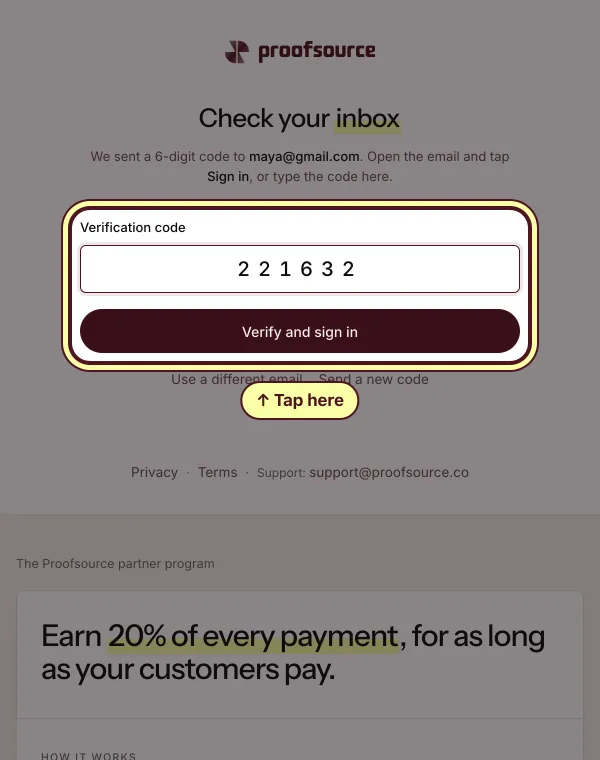
Step 3: She gets a code in her email
Look in your email. Type the 6 numbers. Then tap Verify and sign in.
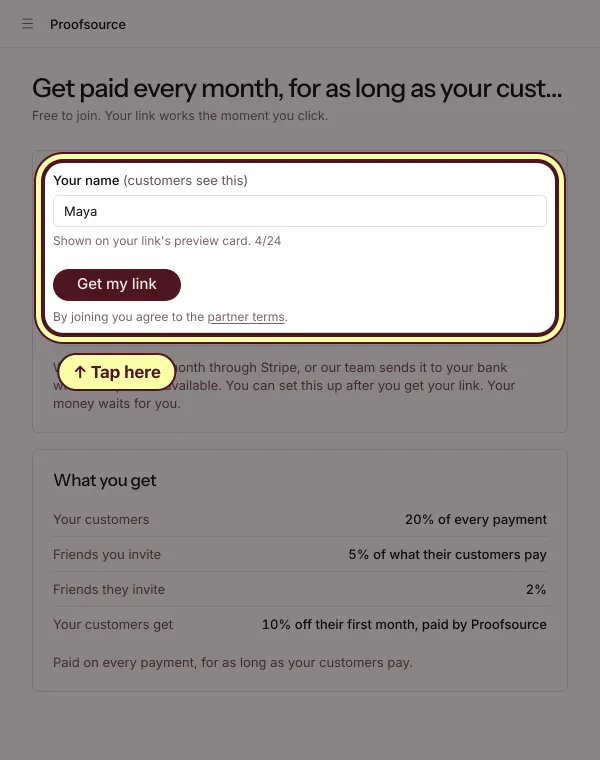
Step 4: She types her name and gets her link
Type your name. Your customers will see it. Then tap Get my link.
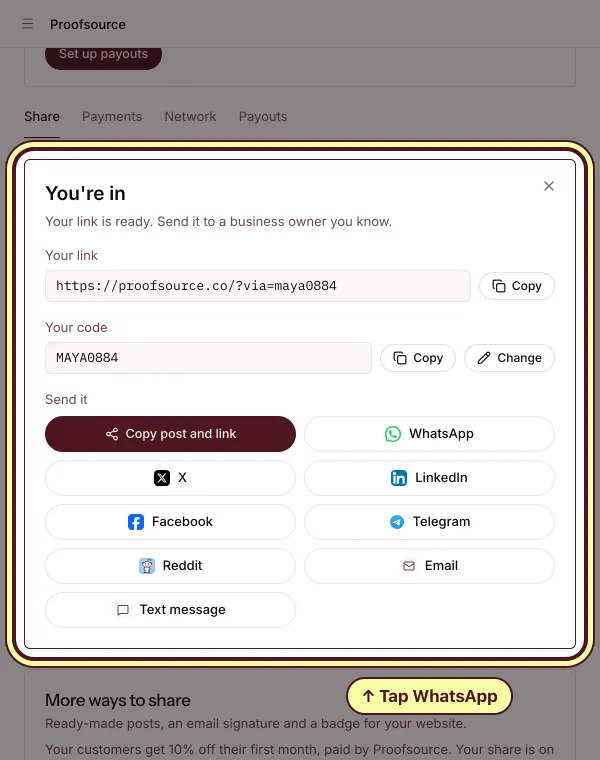
Step 5: She sends her link to the owner of Sunrise Bakery on WhatsApp
You're in. Tap WhatsApp, or any other way to send it, and send your link to someone who runs a shop. Or tap Copy. They get 10% off their first month, from us.
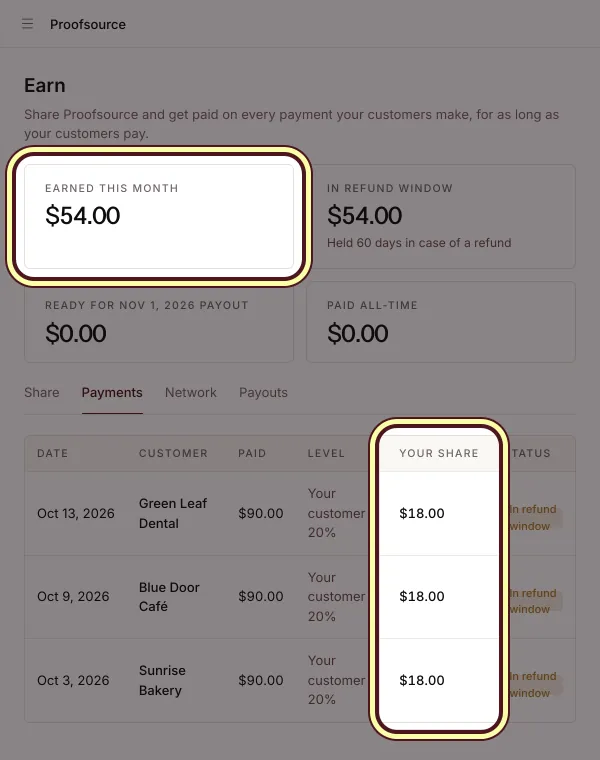
Step 6: The bakery pays, and so do two more shops. Maya gets 20% of every payment.
Three shops pay $90. Maya gets $18 from each, so $54. It comes again every month, for as long as your customers pay.
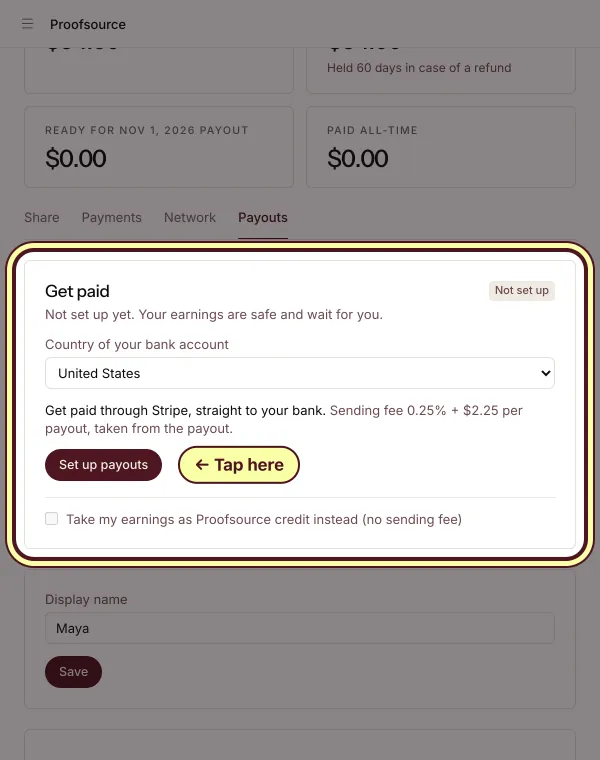
Step 7: Every month, the money goes to Maya
On the Payouts tab, pick the country of your bank and tap Set up payouts. You get paid through Stripe, straight to your bank. Each payment waits 60 days in case of a refund. We send your money once you have $50. Where Stripe isn't available, our team sends it to your bank.


One more thing: if a friend joins as a partner through Maya's link, Maya also gets 5% of every payment from the shops that friend brings.
Questions
Is it free?
Yes. Joining is free, and you never pay anything.
Do I need a business?
No. Anyone can join. You only need an email.
When do I get paid?
Every month. Each payment waits 60 days in case of a refund. Once you have $50, we pay you through Stripe, straight to your bank. Where Stripe isn't available, our team sends it to your bank. Sending fees come out of the payout.
What do my friends get?
10% off their first month, paid by us, not you. After that they pay the same price as everyone.
Read the full partner terms, see what you earn in the partner program, or send people a free AI visibility report to start with.