Product1 min read

AI visibility by country, city and area

Measure your brand in up to 25 locations. Each country, state, city or neighborhood gets its own questions, asked from there, with its own numbers and competitors.

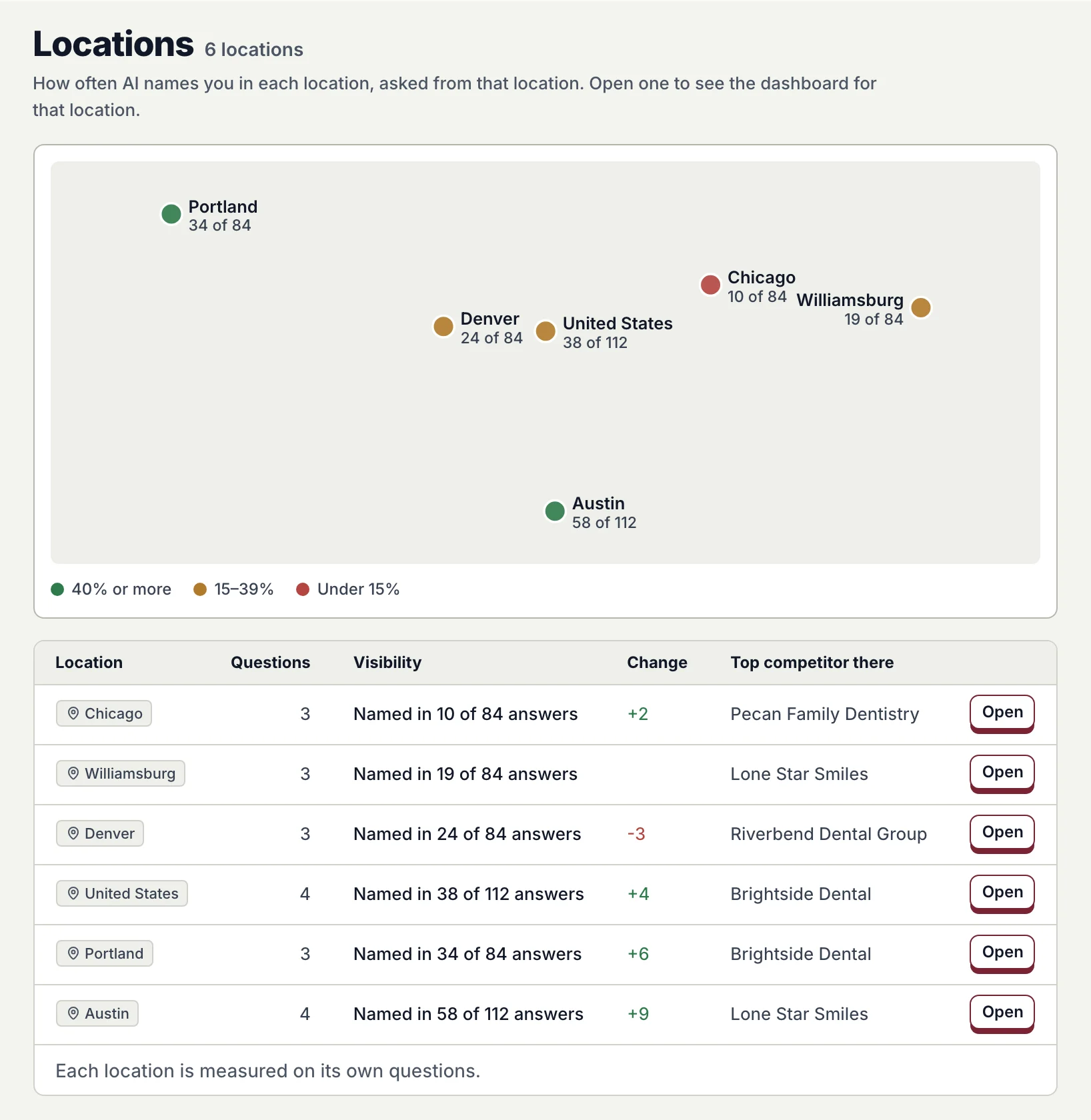
The Locations page: six locations on a map colored by how often AI names the brand, and a table with questions, Named in X of N answers, change and the top competitor in each.
How often AI names you in each location, and who it names instead there. Sample data.

AI answers change with where the buyer asks from. Proofsource now asks from each place you sell in, and shows each place on its own.

25
locations per brand, at most
4 levels
country, state, city or area
1 switch
to see any page for one location

Add a place, then look at it alone

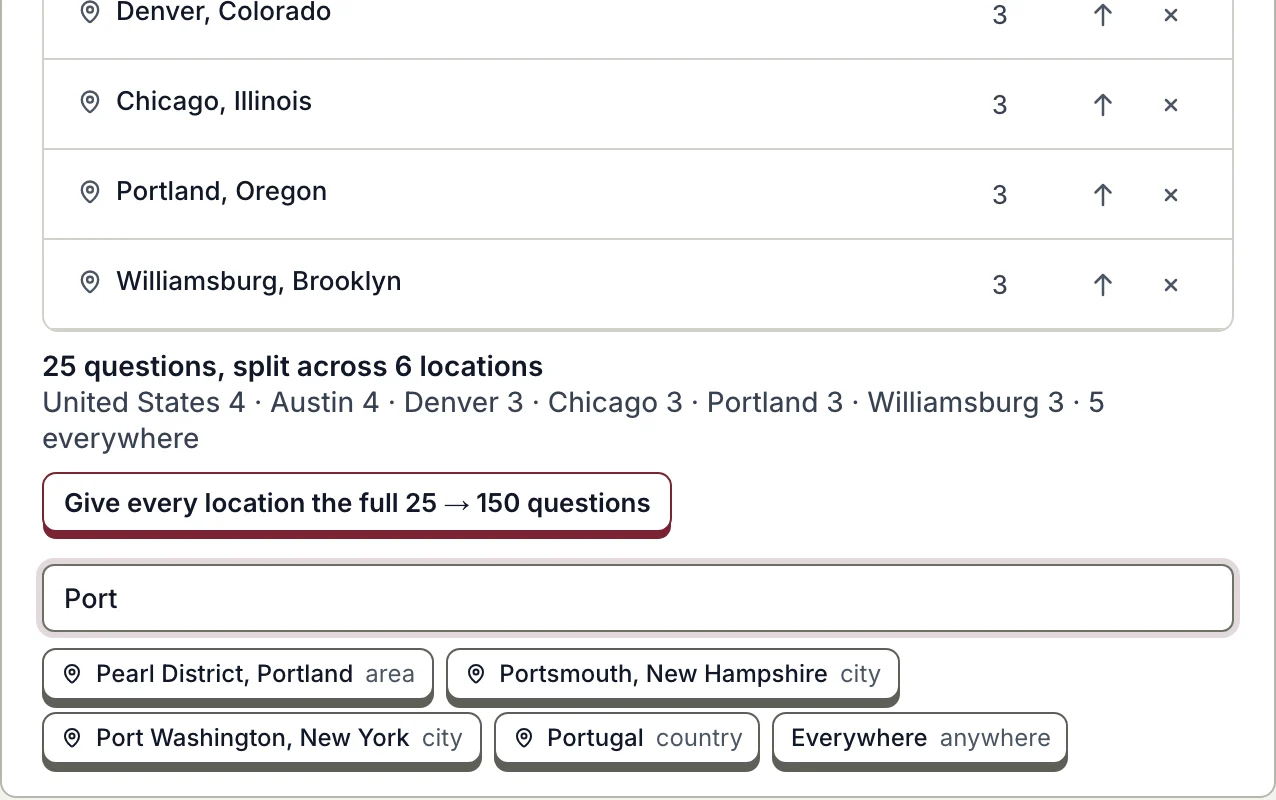
  1. 1Add a country, city or area
    Where your buyers are: locations with their question counts, the line splitting 25 questions across six locations, and the picker suggesting places for Port.
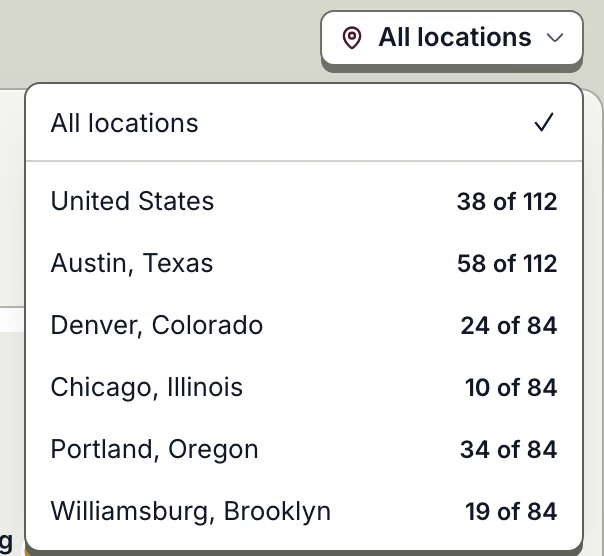
  2. 2Switch to one location
    The location switcher: All locations, then each location with Named in X of N answers.
Add locations in Brand settings, then pick one from the switcher at the top of any page. Sample data.

Questions of its own

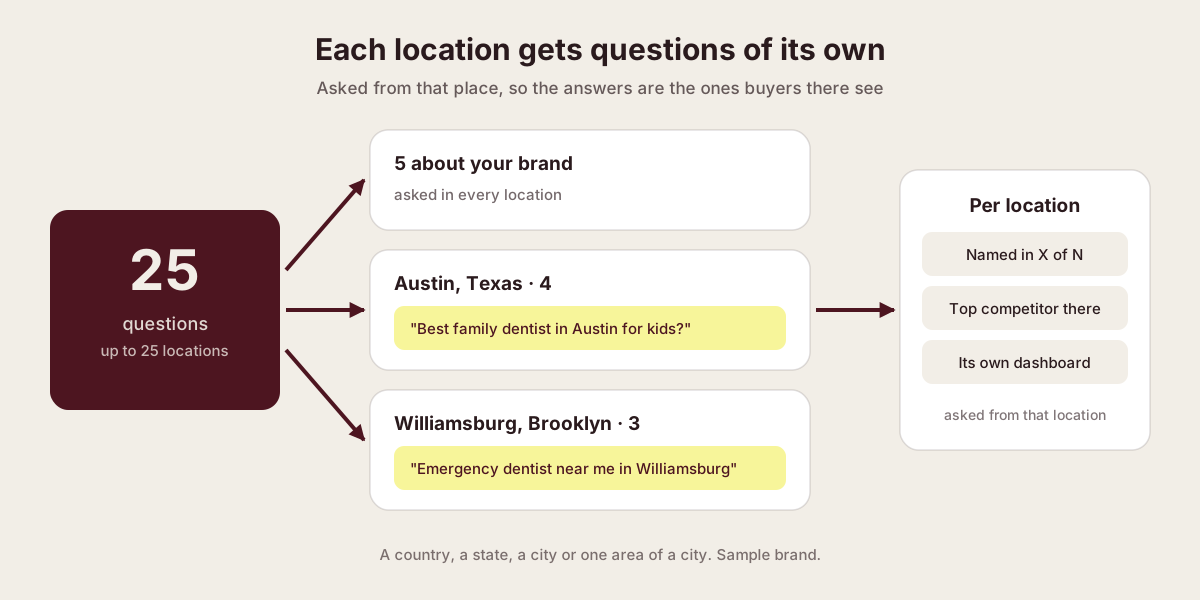
Diagram: 25 questions split into 5 brand questions asked everywhere and buyer questions per location, each naming its place, giving per-location numbers, competitor and dashboard.
Your question budget is split across locations, and each location's questions name it.
  1. 25 questions

    Your budget, across up to 25 locations.

  2. 5 about your brand

    Asked in every location.

  3. The rest per location

    Each names its place, such as a city or a neighborhood.

  4. Per location

    Named in X of N answers, the top competitor there, and its own dashboard.

Competitors where you sell
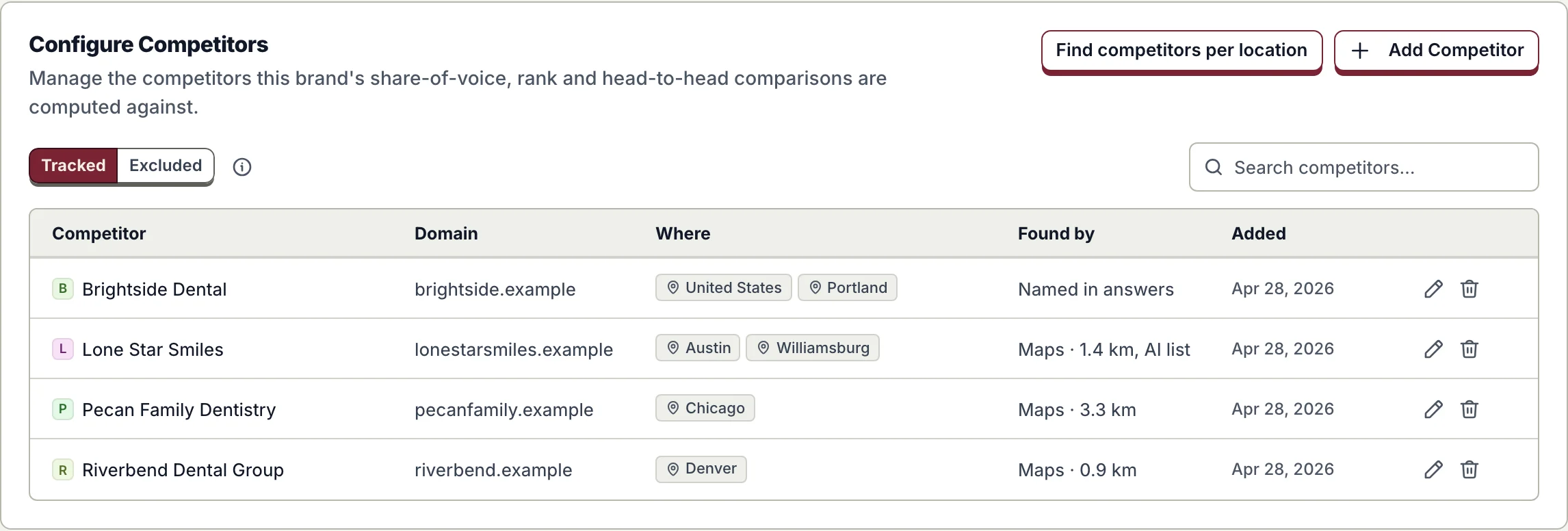
Brand settings, competitors: each competitor with the locations it was found in and how, by map distance, the AI list or answers.
Find competitors per location: nearby on the map, or named by AI there. Sample data.
  • Follows the location. AI Visibility tabs, Shopping, Search demand, Fix it and exports.
  • Shared reports stay brand-wide. One link still covers every location.

Availability

Live for every brand. Add locations in Brand settings under Where your buyers are; the Locations page appears with two or more.

Multi-location AI visibility

Further reading

Published · Questions or feedback? Write to us
Questions

Does each location need its own plan?

No. Your questions are split across your locations. You can give every location the full set, and Brand settings shows the credits first.

Can I track a neighborhood, not just a city?

Yes. Pick an area, such as Williamsburg in Brooklyn. Its questions are asked from there and name it.

When do new locations show numbers?

From the next scan. A location shows its numbers once its own questions have been asked there.

See how AI answers buyers in every place you sell.