Product1 min read

Share Report: one button, one link anyone can open

Generate a report and send its link. Anyone can open it without an account, each report keeps its own link, and you see when it is opened.

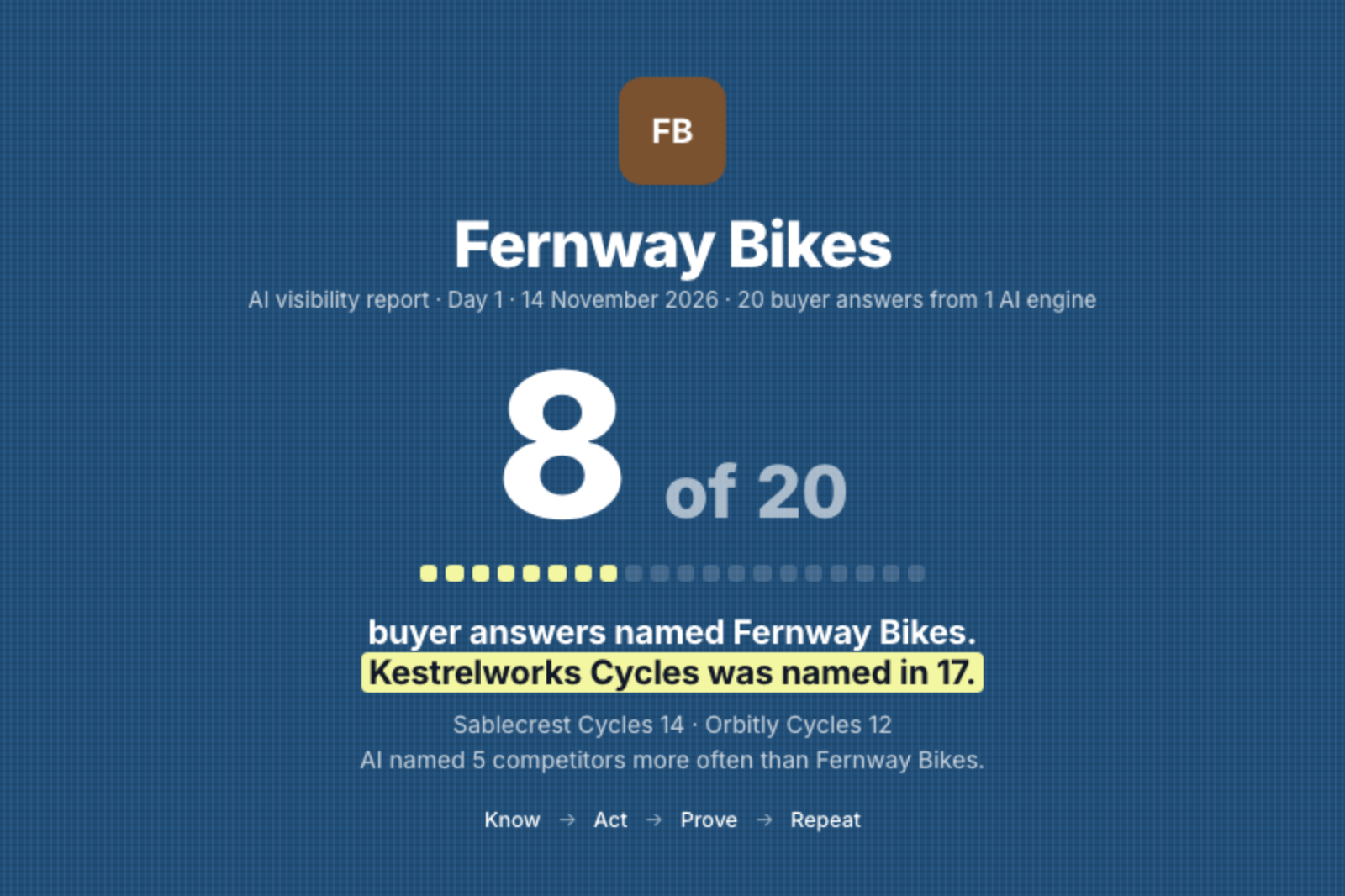
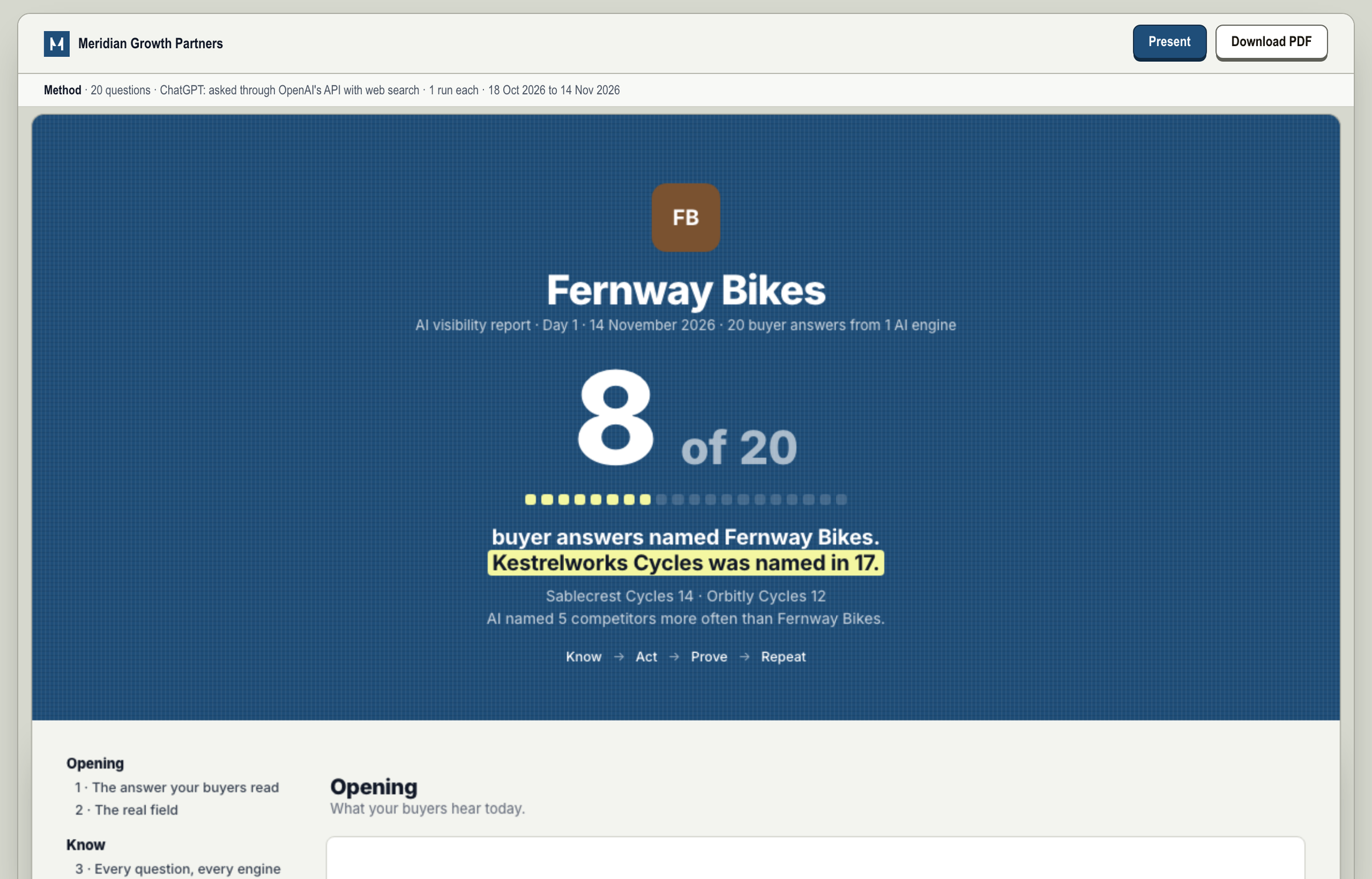
A shared AI visibility report for Fernway Bikes: 8 of 20 buyer answers named the brand, a competitor was named in 17, with Present and Download PDF buttons.
What the person you send it to sees. No sign-in. Shown with sample data.

Share Report is now one button. Generate a report, copy its link, send it to your boss, your client or your board. They open it without an account.

  1. 1Generate
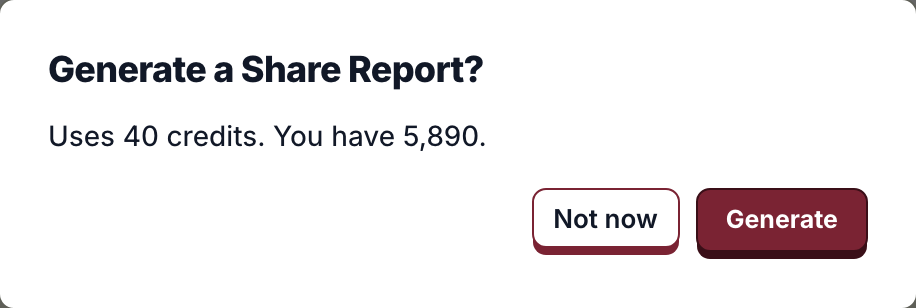
    The Generate a Share Report confirmation with Not now and Generate buttons.
  2. 2Built in a minute or two
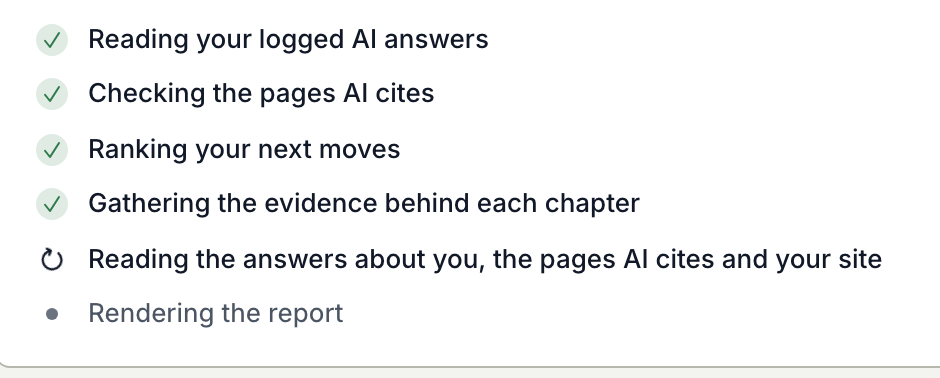
    The report building, step by step: reading logged AI answers, checking cited pages, ranking next moves, rendering.
  3. 3Copy the link
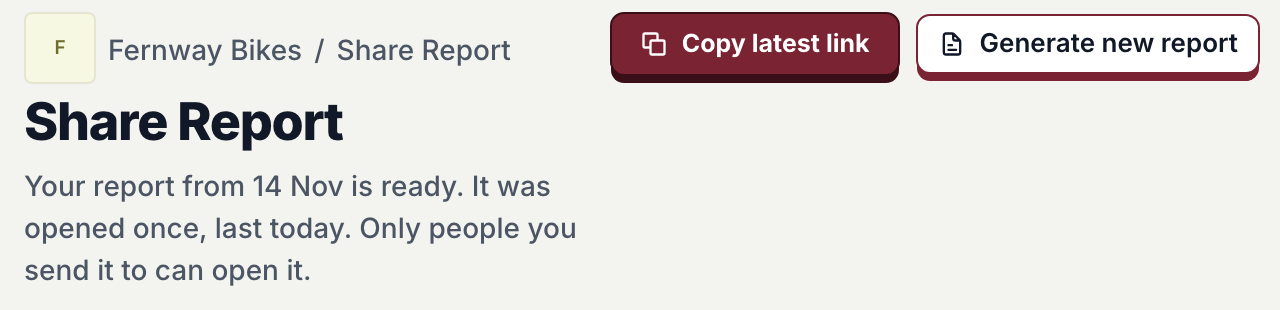
    The Share Report header with Copy latest link and Generate new report, and a line saying the report was opened once.
  4. 4They open it
    The cover of the shared report: 8 of 20 buyer answers named Fernway Bikes.
From Share Report to an opened report. Shown with sample data.
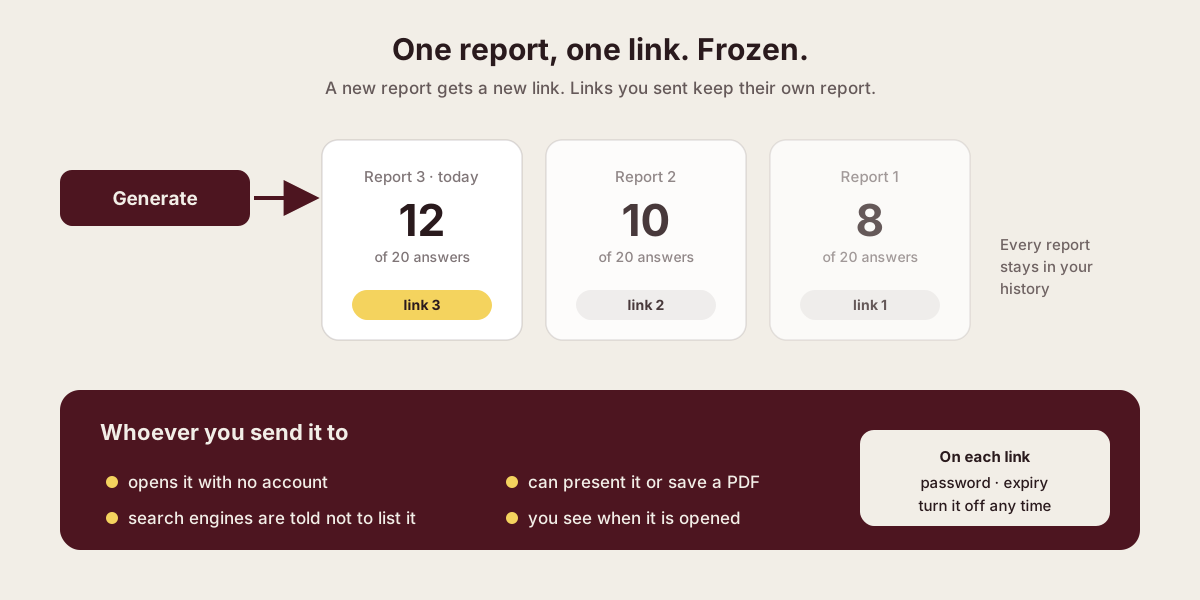
Diagram: each Generate makes a new report with its own link; older reports keep their links. Readers need no account, search engines are told not to list it, and each link has password, expiry and turn off.
Each report has its own link. A new report never moves an old link.
  1. Generate

    Each report gets its own link.

  2. Send it

    Readers open it with no account. Search engines are told not to list it.

  3. Stay in control

    Add a password, set an expiry, or turn the link off.

Every report, every open
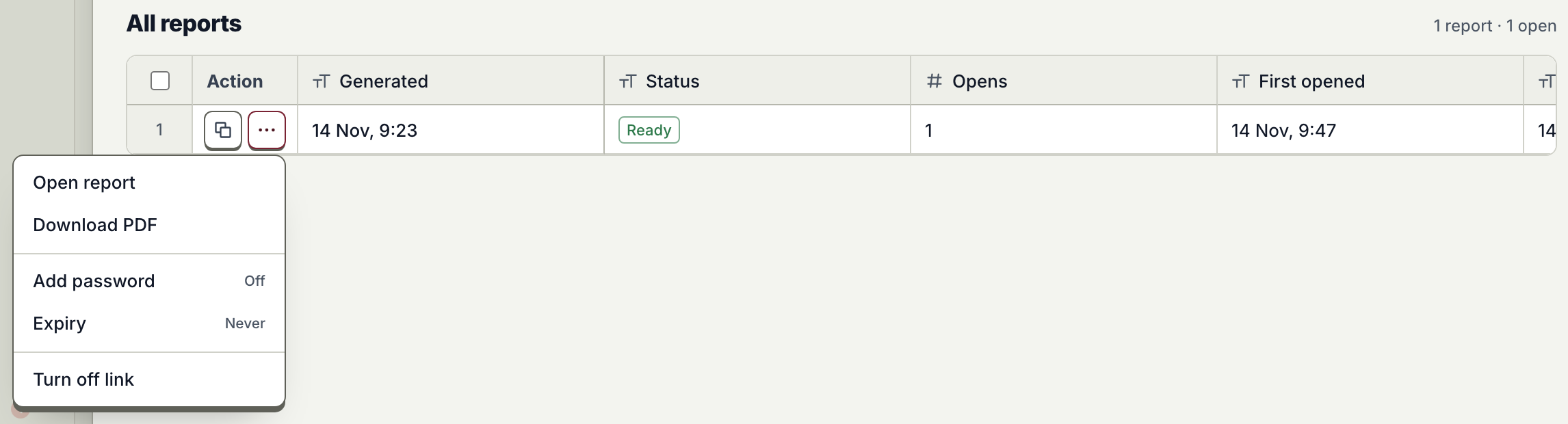
All reports: each report with its status, opens and first opened time, and a menu with Open report, Download PDF, Add password, Expiry and Turn off link.
Your history lists every report and when it was opened. Each link has its own password, expiry and off switch.

What they read

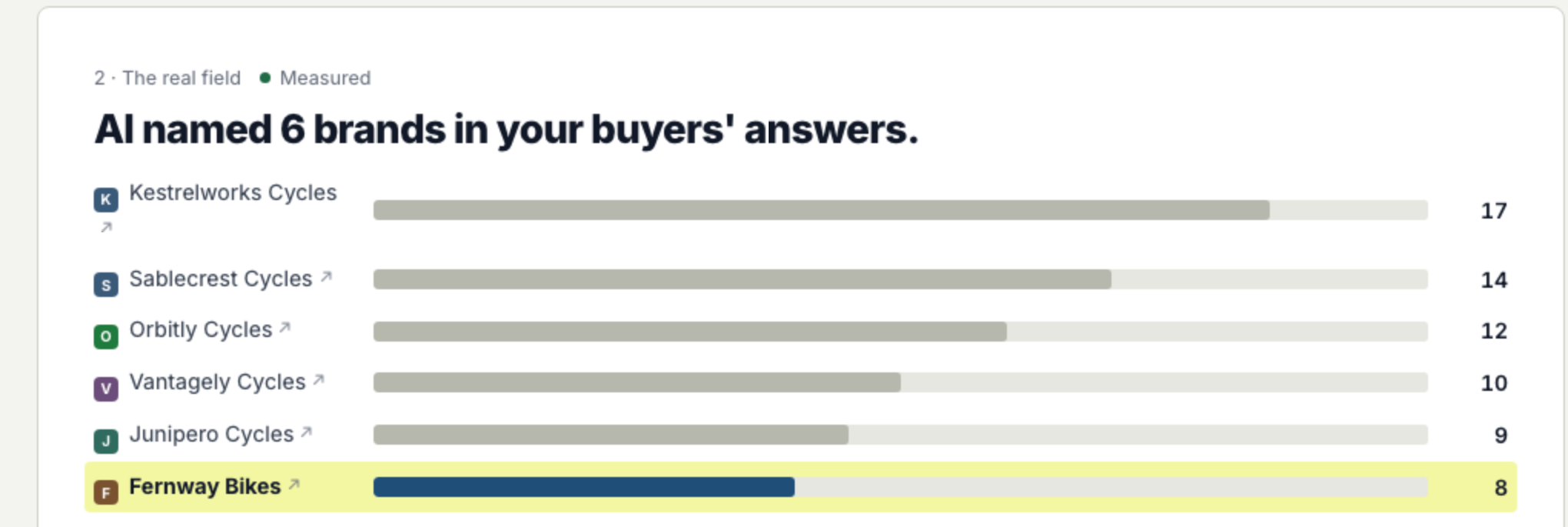
A chapter of the shared report: AI named 6 brands in your buyers' answers, with a bar for each brand and the reader's brand highlighted.
The full report, chapter by chapter, from your own logged AI answers. Shown with sample data.

Availability

Live for every Proofsource workspace once its first scan is done: open Share Report in the sidebar.

See plans

Further reading

Published · Questions or feedback? Write to us
Questions

Does the reader need a Proofsource account?

No. Anyone with the link can open the report, unless you add a password.

Can search engines find the report?

The page tells search engines not to list it. Only people you send the link to will find it.

What happens to a link when I generate a new report?

Nothing. The old link keeps its own report. The new report gets a new link.

See what AI says about your brand.

See whether AI names your brand, who it names instead, and what to fix.

100 answers. 25 Prompts/Question. Top AI engines. Free.ChatGPTPerplexityClaudeGoogle AI OverviewsGoogle AI ModeGeminiMicrosoft CopilotGrokDeepSeekMeta AI