Agencies1 min read

Signed to set up: proposals, client logins, View as client

Agencies now send a signable proposal in their own look, add a signed client in seconds, and give the client a login with a guided set-up. View as client shows exactly what they see.

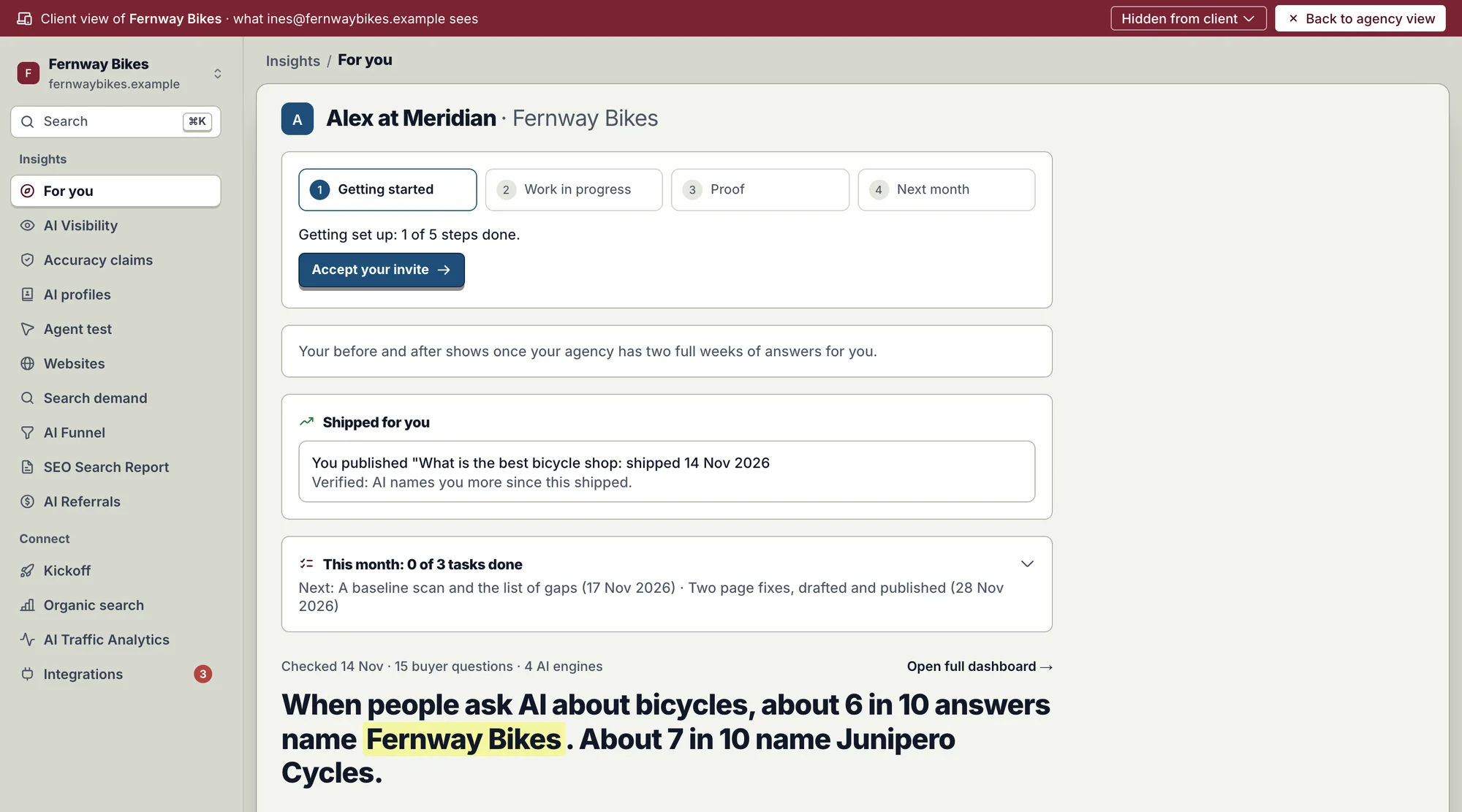
View as client: a burgundy bar reading Client view of Fernway Bikes, over the client's For you page with getting started, shipped fixes and how often AI names them.
View as client: exactly what your client's login shows, without signing in as them. Demo agency, sample data.

Once a client says yes, the rest happens in one place: the proposal they sign, the client you add, and the login they use.
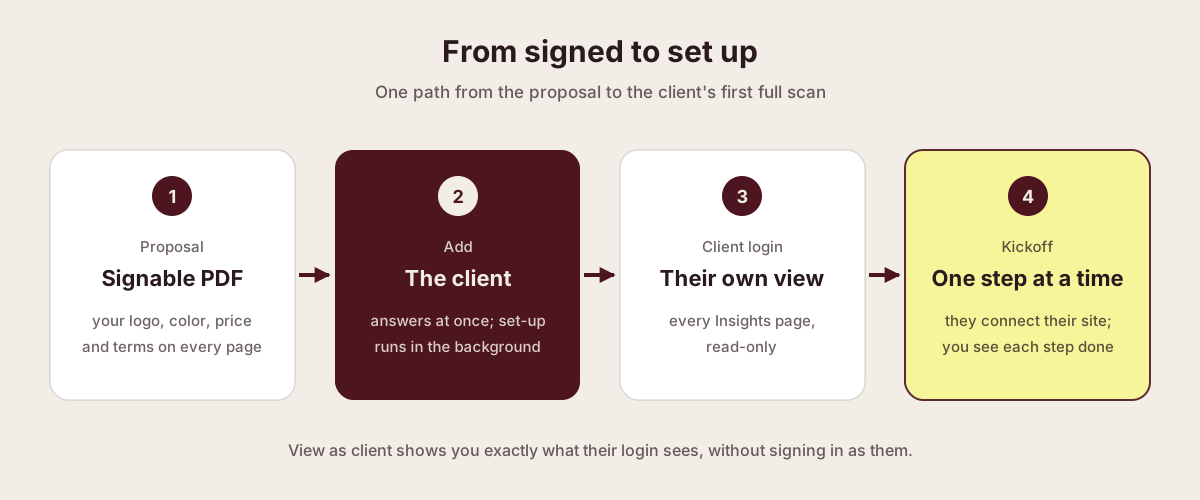
Diagram: a signable proposal PDF, the client added at once, the client's own read-only login, and a kickoff they finish one step at a time.
From yes to the first full scan, in one workspace.
  1. Signable PDF

    Your logo, color, price and terms on every page.

  2. Add the client

    It answers at once; set-up runs in the background.

  3. Client login

    Every Insights page, read-only.

  4. Kickoff

    They connect their site one step at a time.

A proposal in your look

Track every proposal
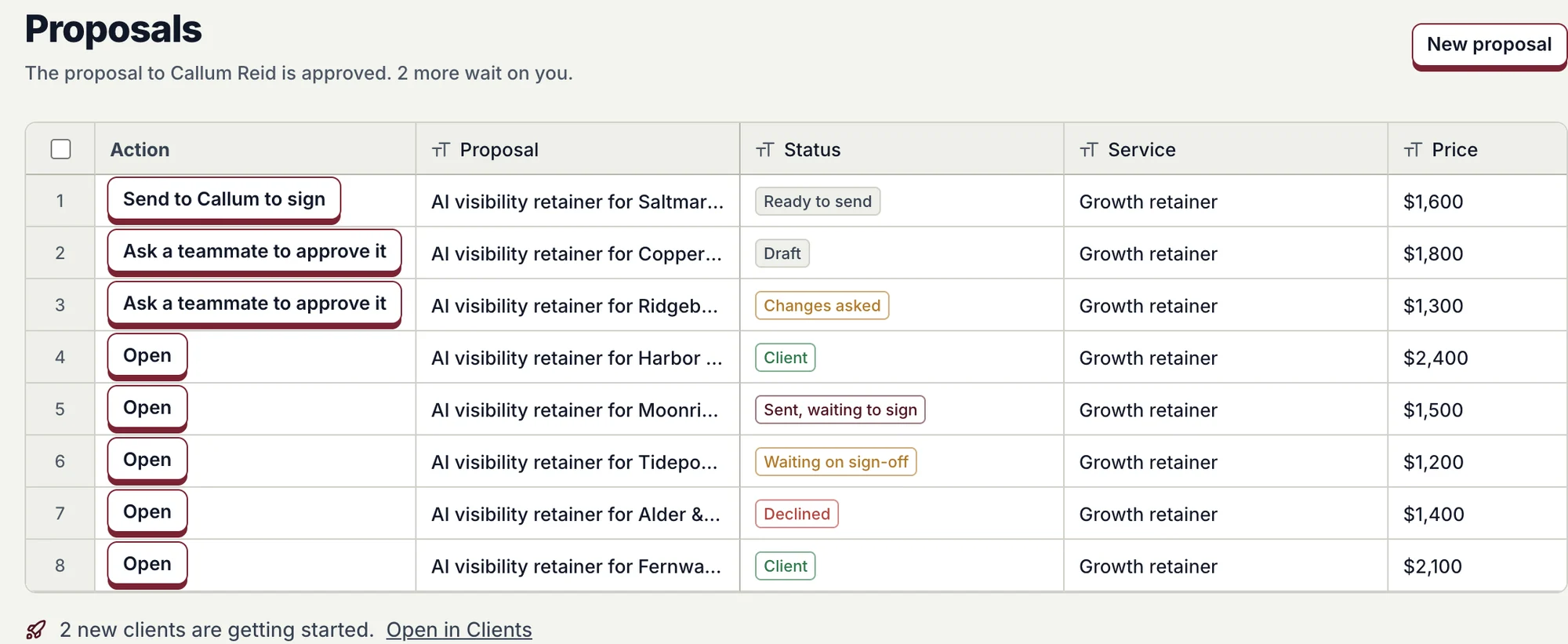
Proposals: each with its status, from draft and sign-off to sent, signed and client, and the next action.
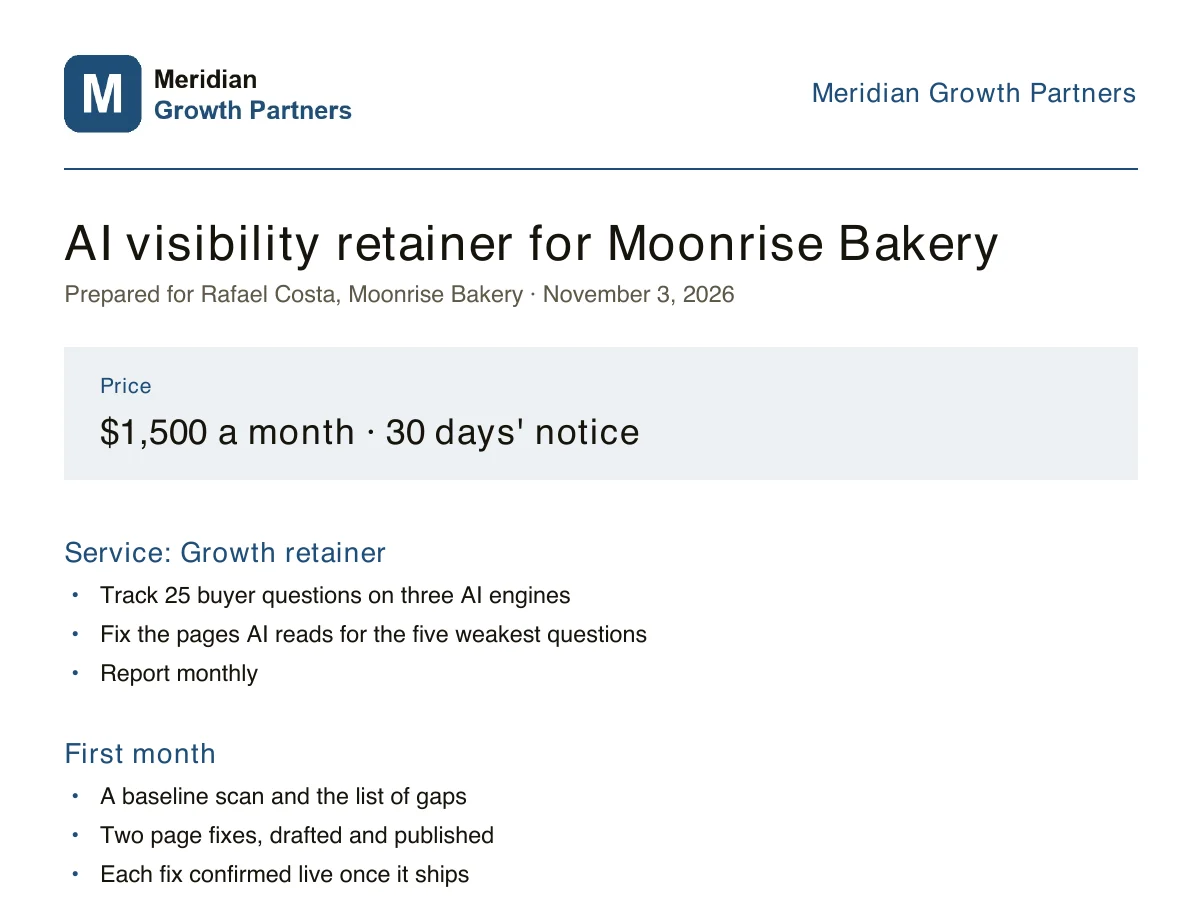
They sign your PDF
A signable proposal PDF with the agency's logo and color, the price box, the service and the first month.
Every proposal in one list, and the PDF your client signs, in your brand. Sample agency and client prices.

Add a signed client at once

Website and person
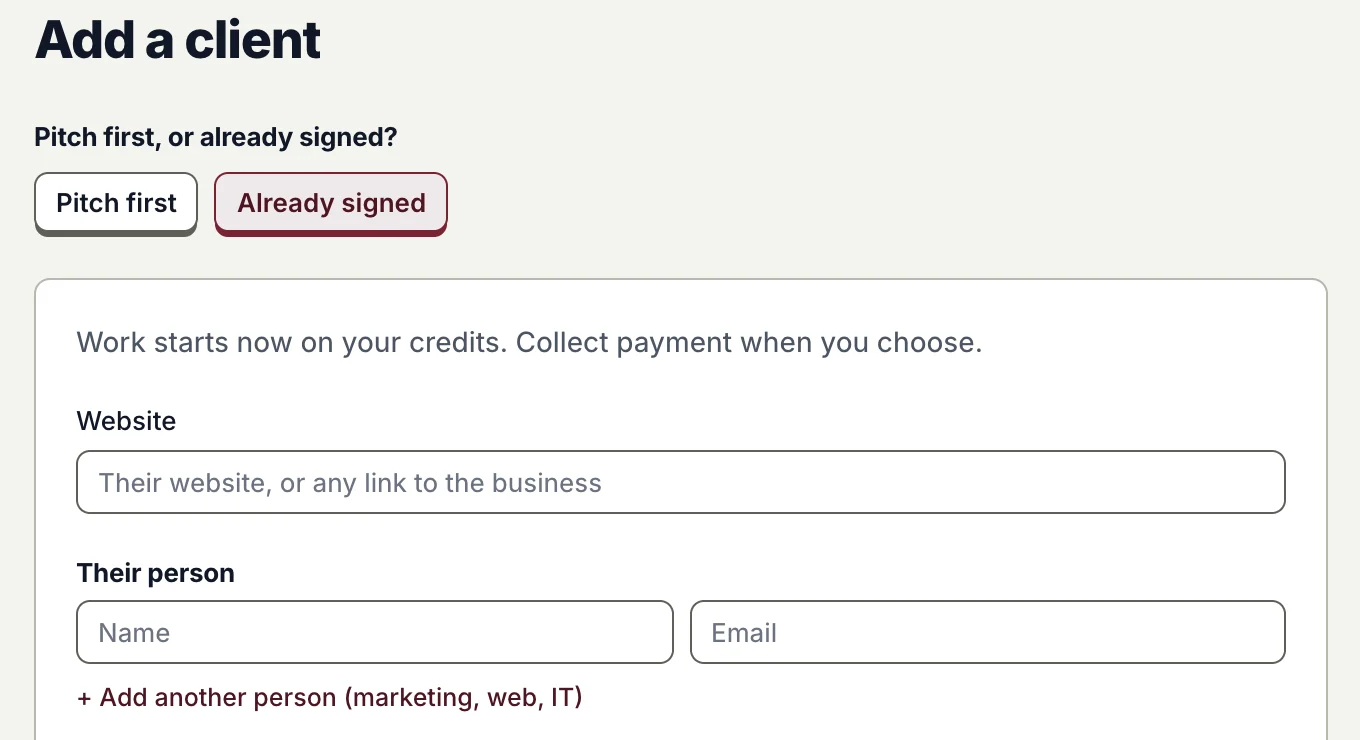
Add a client with Already signed chosen: their website and their person.
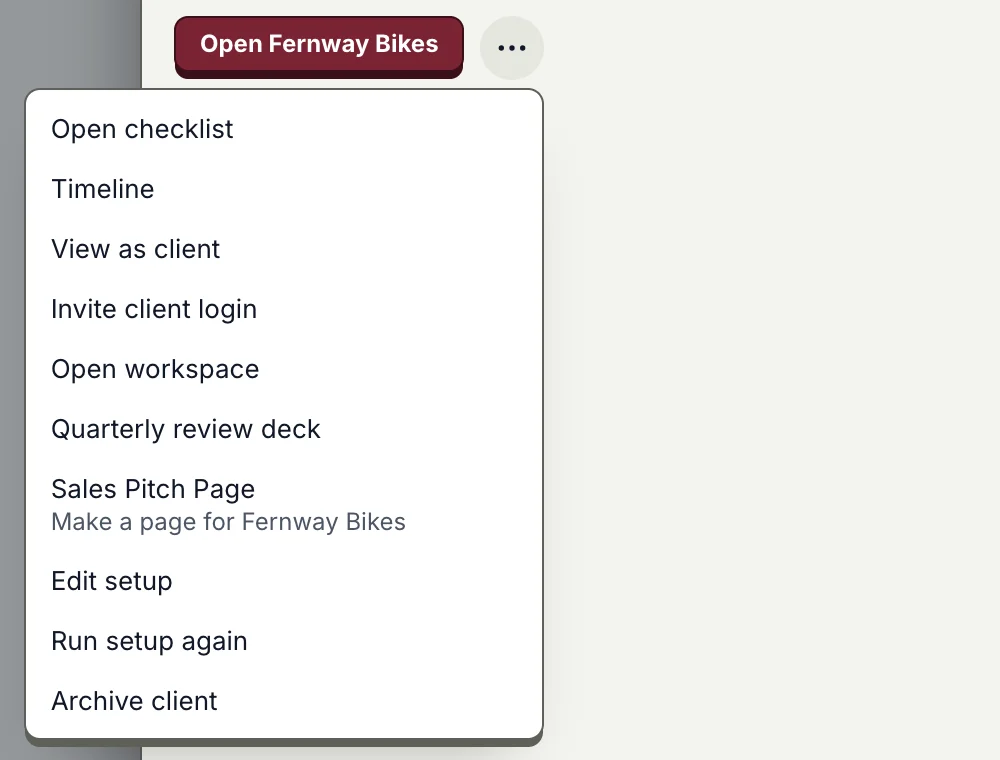
View as client, one click
A client's menu: open checklist, timeline, View as client, invite client login, open workspace, edit setup and more.
Already signed? Add them now: work starts on your credits, and you collect payment when you choose.

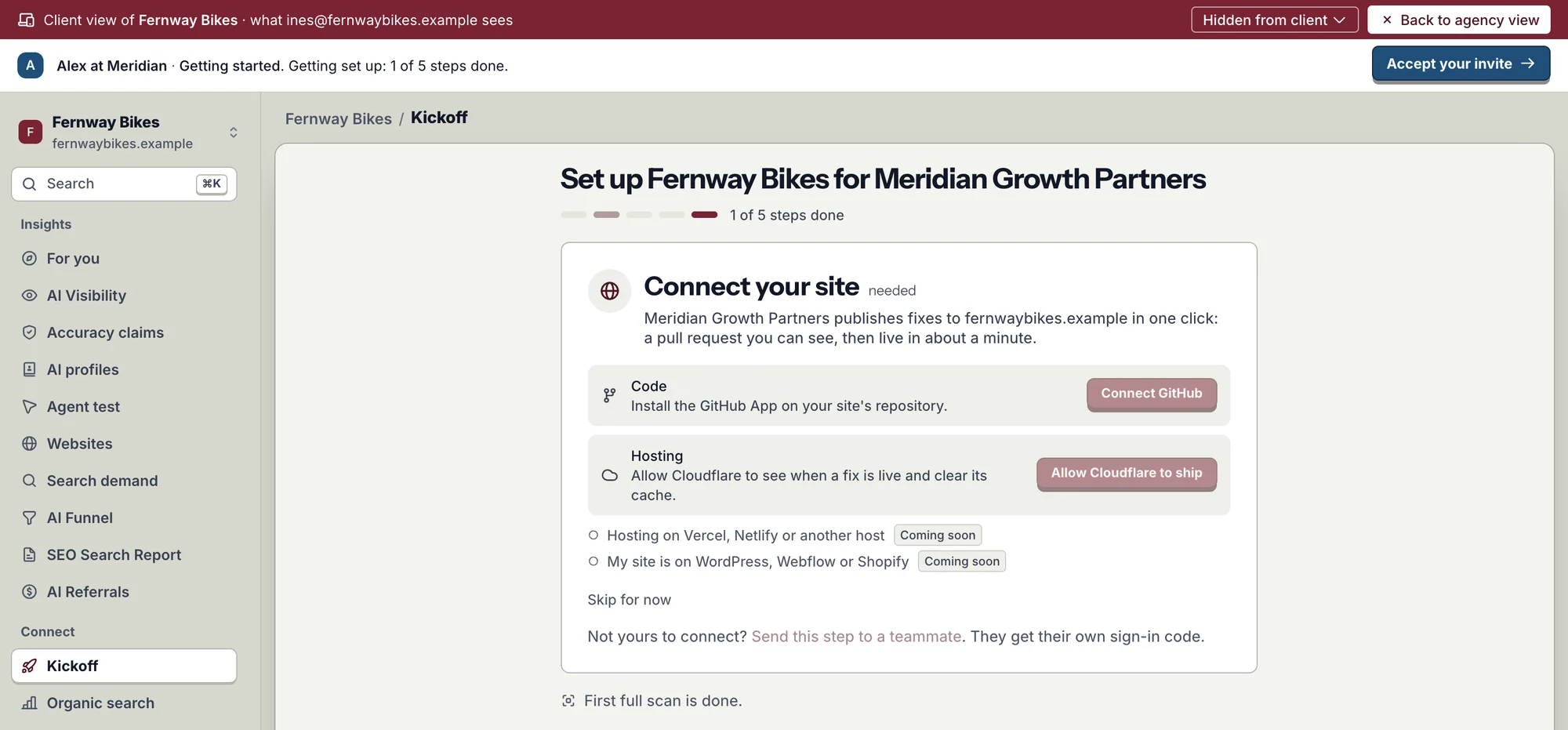
Their login, their set-up

The client's guided kickoff: Set up Fernway Bikes for Meridian Growth Partners, one card at a time, here Connect your site with GitHub and Cloudflare.
The client's kickoff, one step at a time. They can skip a step or send it to a teammate.
  • Read-only by design. A client login reads every Insights page and runs no work.
  • They connect, you work. The client connects their own site and tools; you work on top.
  • Withdraw and resend. Pull back a sent proposal, or send a new one from it.

Availability

Live for every agency workspace: Proposals is under Pipeline, and Add a client and View as client are on Clients.

Proofsource for agencies

Further reading

Published · Questions or feedback? Write to us
Questions

Whose brand is on the proposal?

Yours: your logo, brand color, address and website, on every page.

Can a client change anything?

No. A client login reads every Insights page and connects its own tools. It runs no work.

Does View as client sign me in as them?

No. It shows their exact view in your own session. Their buttons are shown, not pressed.

Can I add a client I never pitched?

Yes. Choose Already signed and add their website and person.

Win the client, then set them up in minutes.