Agencies1 min read

Find up to 50 leads a search, then Find more

Agencies can now ask Find leads for up to 50 companies at once, and keep going with Find more on any finished search. Every round shows its most before it runs.

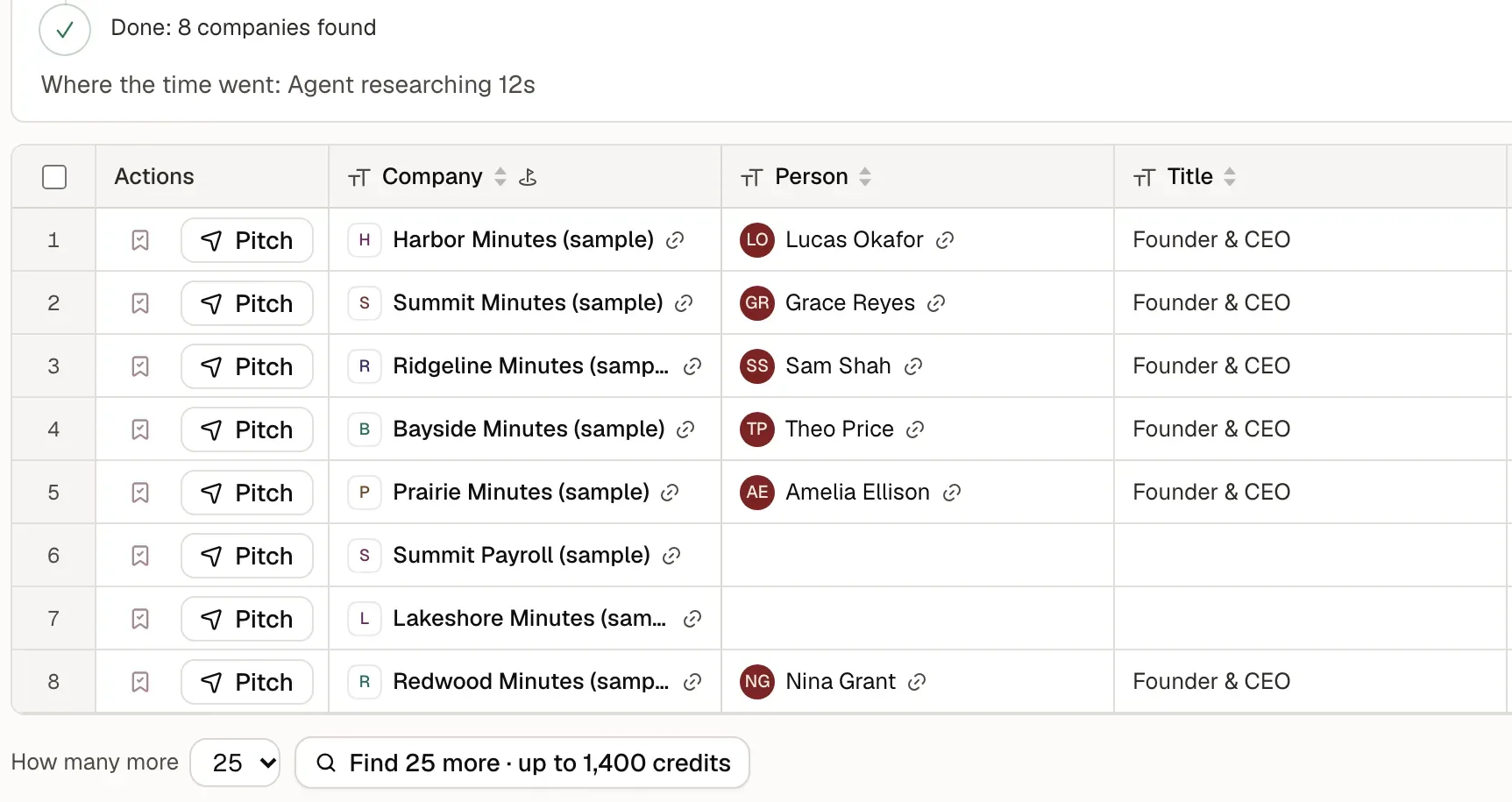
A finished search's companies and people, each with a Pitch button, and under them How many more 25 and Find 25 more with its credits.
Under every finished search: pick how many more, and Find more looks again. Sample data.

A list of ten is a start. When it works, you want the next 25 without starting over.
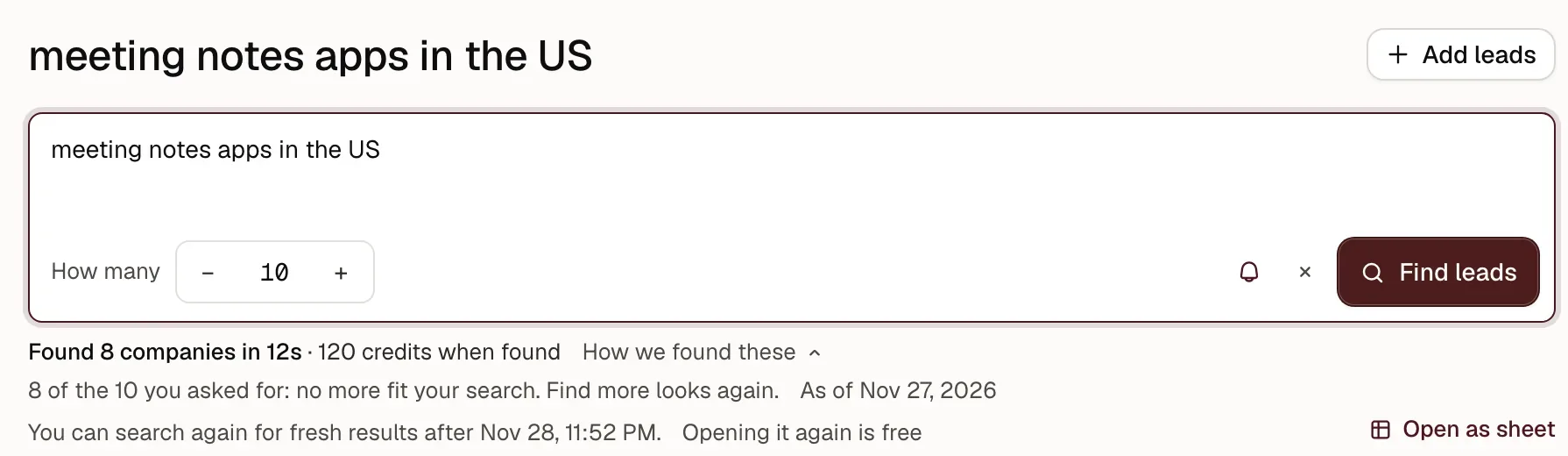
A search with How many set in the box beside Find leads, and the line 8 of the 10 you asked for: no more fit your search.
Set How many, up to 50. When fewer fit, it says so and Find more looks again. Sample data.
  1. Ask for up to 50

    Set How many beside Find leads.

  2. Find more

    Pick 10, 25 or 50 more under the results. No repeats.

  3. Emails fill in

    Work emails appear as each one is verified.

  4. Pitch

    Every row has a Pitch button.

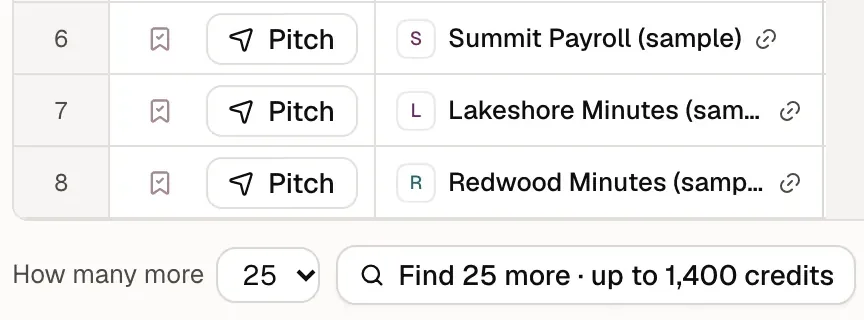
The last rows of a finished search, then How many more set to 25 beside Find 25 more, with its credits.
The most a round can use is on the button. It charges only what it uses. Sample data.
  • Nothing found, nothing charged. A round that finds no new companies is free.
  • People at one company. Those searches stop at 25.

Availability

Live in every agency workspace. Open Find leads and set How many.

Start an agency workspace

Further reading

Published · Questions or feedback? Write to us
Prompts

Will Find more show companies I already have?

No. Each round looks for companies the search has not found yet.

What does a round use?

The most it can use is on the button. It charges only what it uses, and nothing if it finds nothing.

Find the brands AI leaves out, then pitch them.