Product1 min read

Personas: see what AI tells each kind of customer

Create a persona and Proofsource drafts it from your site and reviews, with the prompts that customer asks AI. Nothing runs until you turn the prompts on.

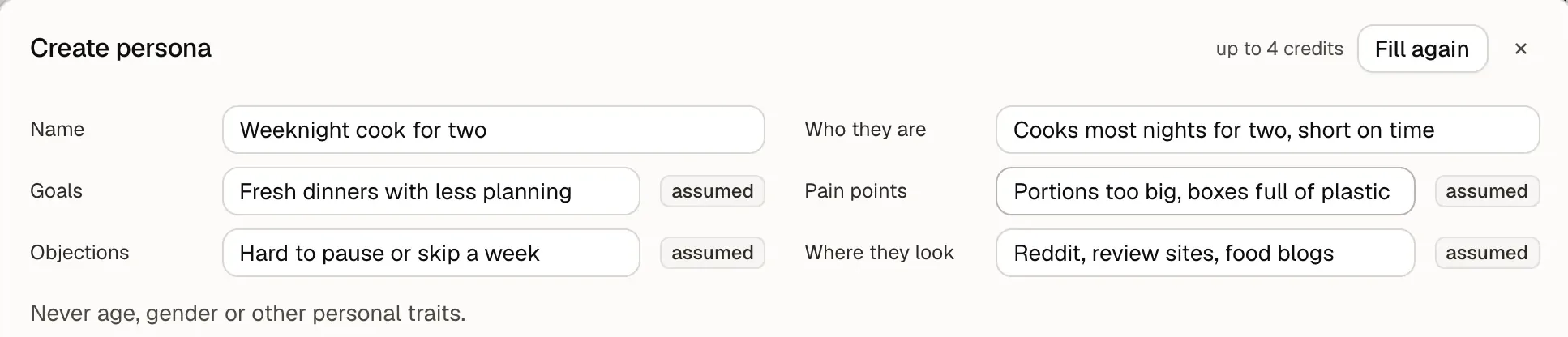
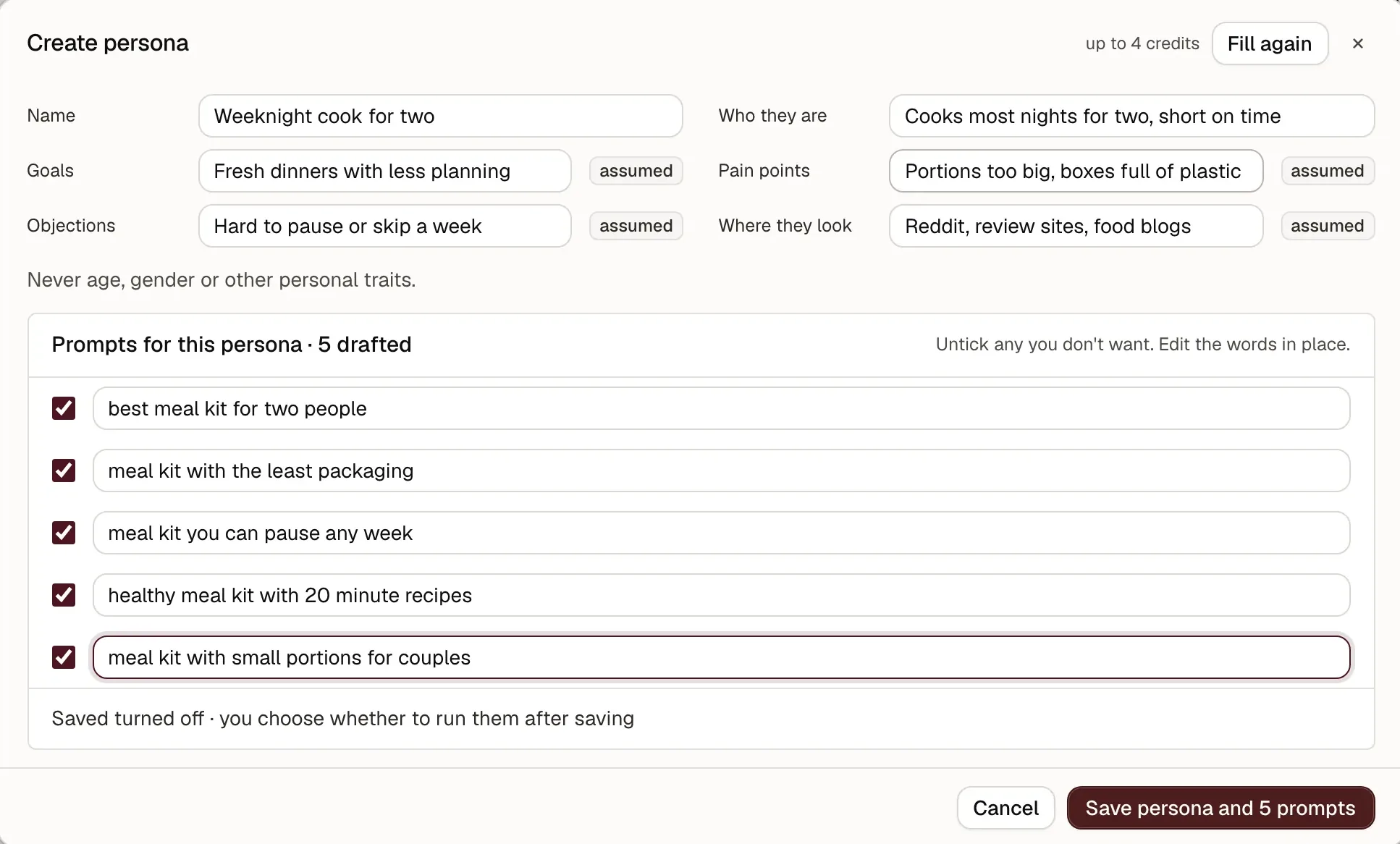
The Create persona dialog after Fill: name, who they are, goals, pain points, objections, where they look, and Prompts for this persona with 5 drafted.
One Fill drafts the persona and the prompts it asks AI. Edit any word before you save. Sample data.

A parent feeding five and a couple cooking for two ask AI different things, and AI often names different brands for each. Personas show you both.

Prompts first

  1. 1Fill and check
    Create persona after one Fill: name, who they are, goals, pain points, objections and where they look, guesses marked assumed.
  2. 2Saved, nothing runs
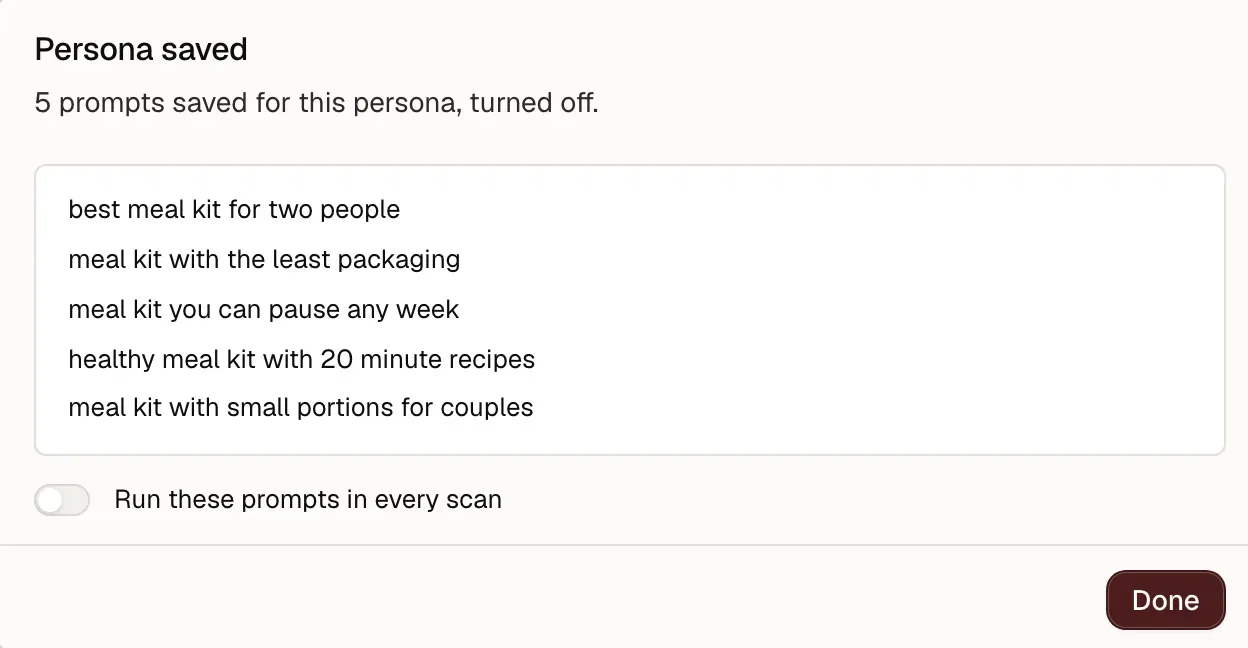
    Persona saved: five prompts saved for this persona, turned off, and the switch Run these prompts in every scan.
  3. 3Turn them on
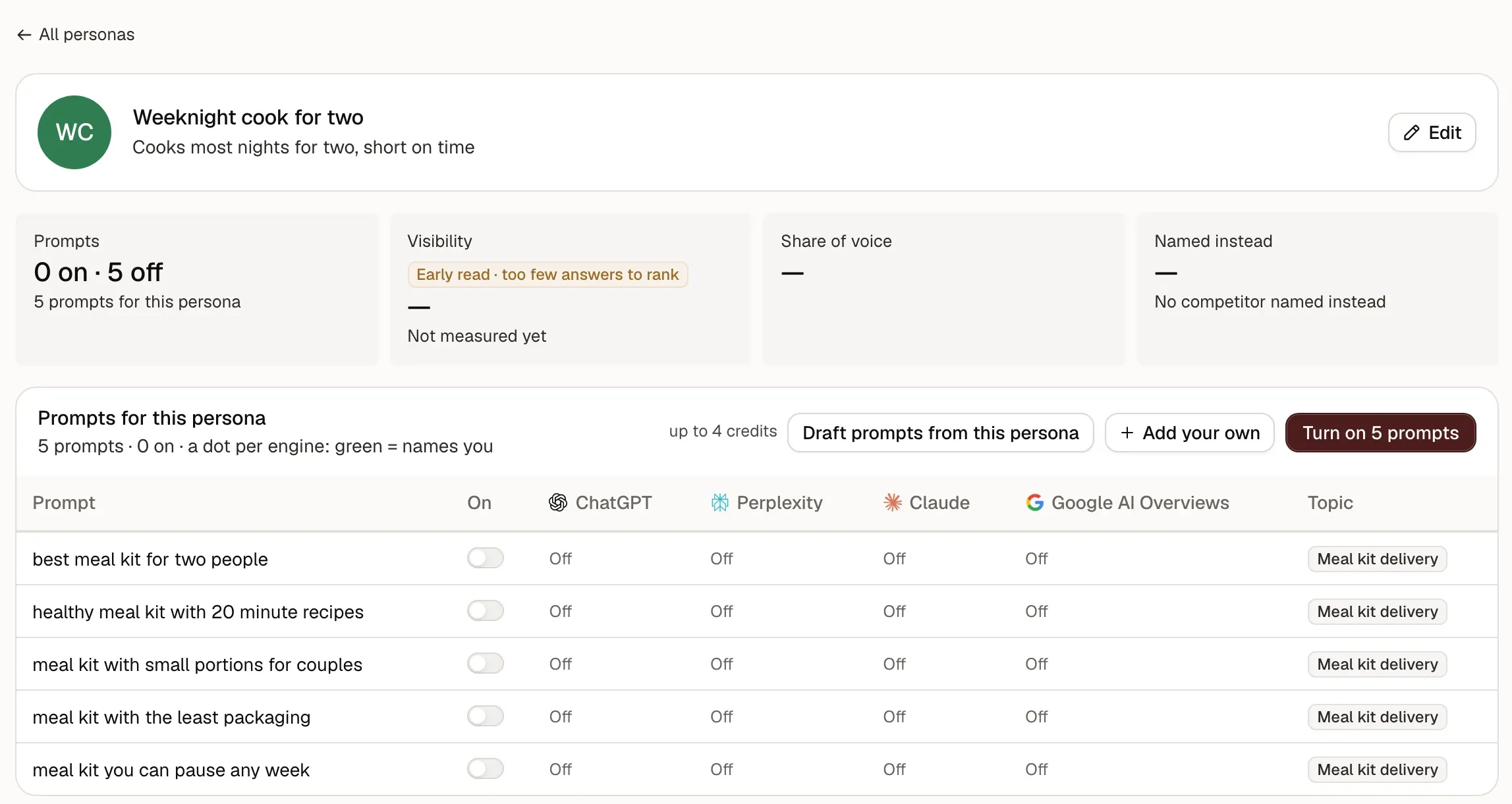
    The persona page: 0 on, 5 off, and the button Turn on 5 prompts.
Fill, save with the prompts off, then turn them on when you are ready. Sample data.
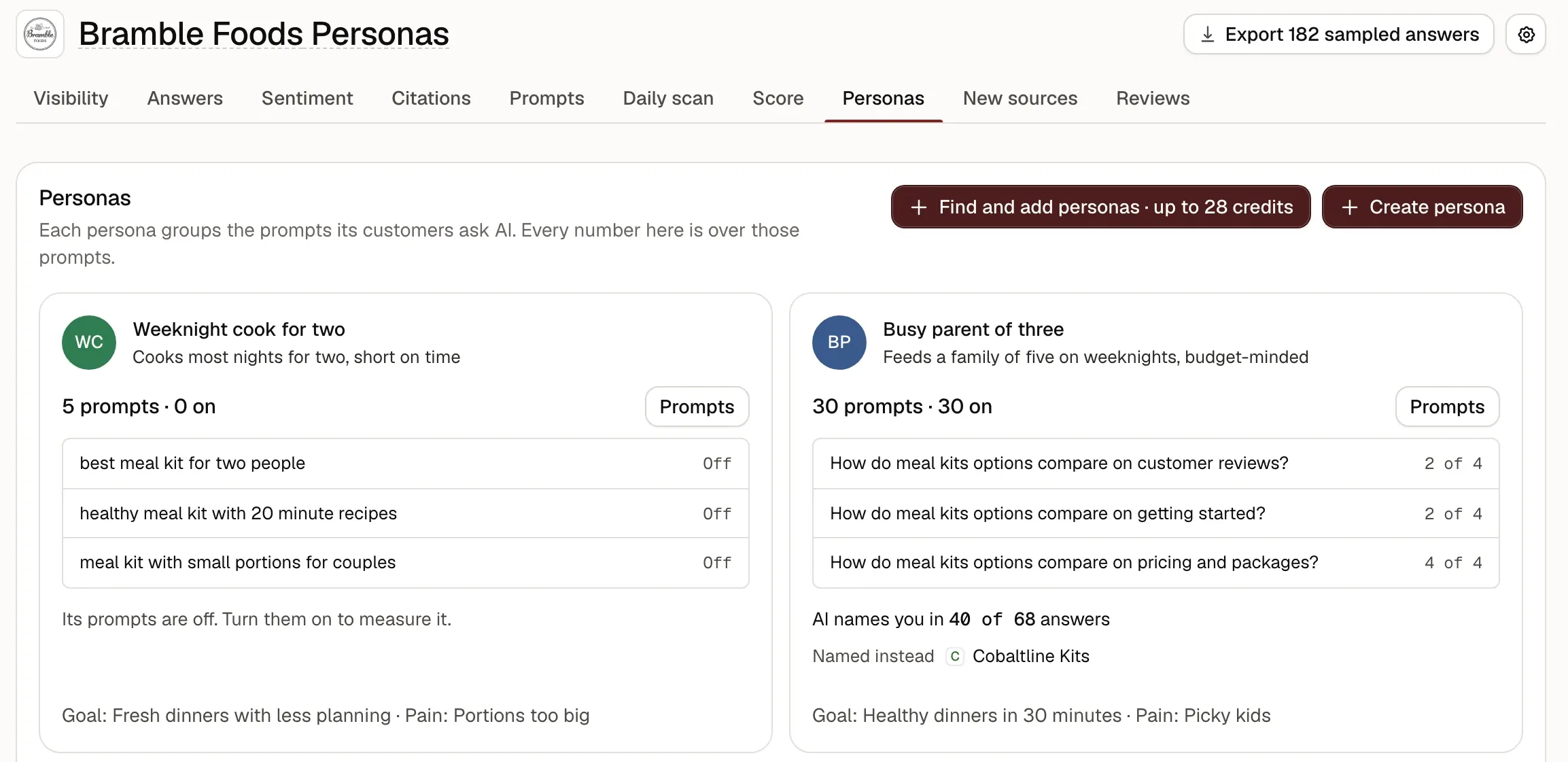
The Personas tab: each persona with its prompts, how many are on, and how often AI names you.
Every persona on one tab, with how often AI names you for it and who it names instead. Sample data.
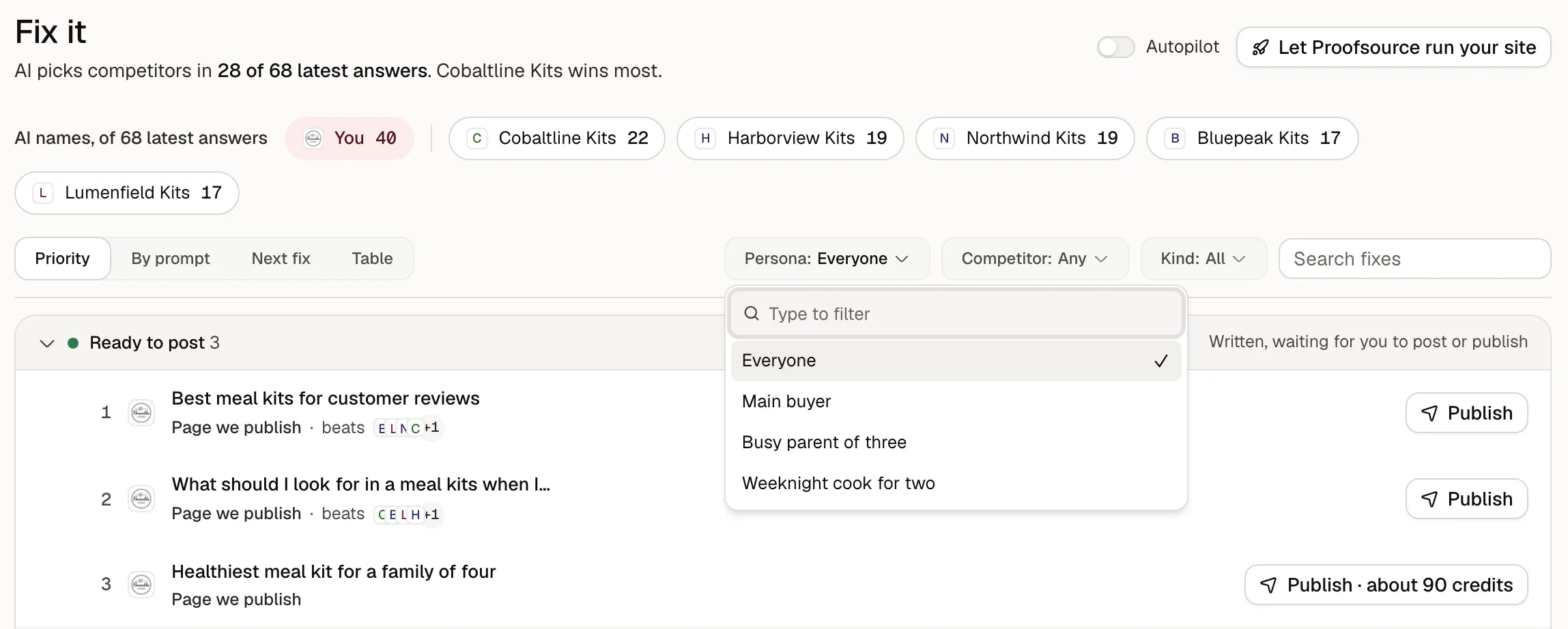
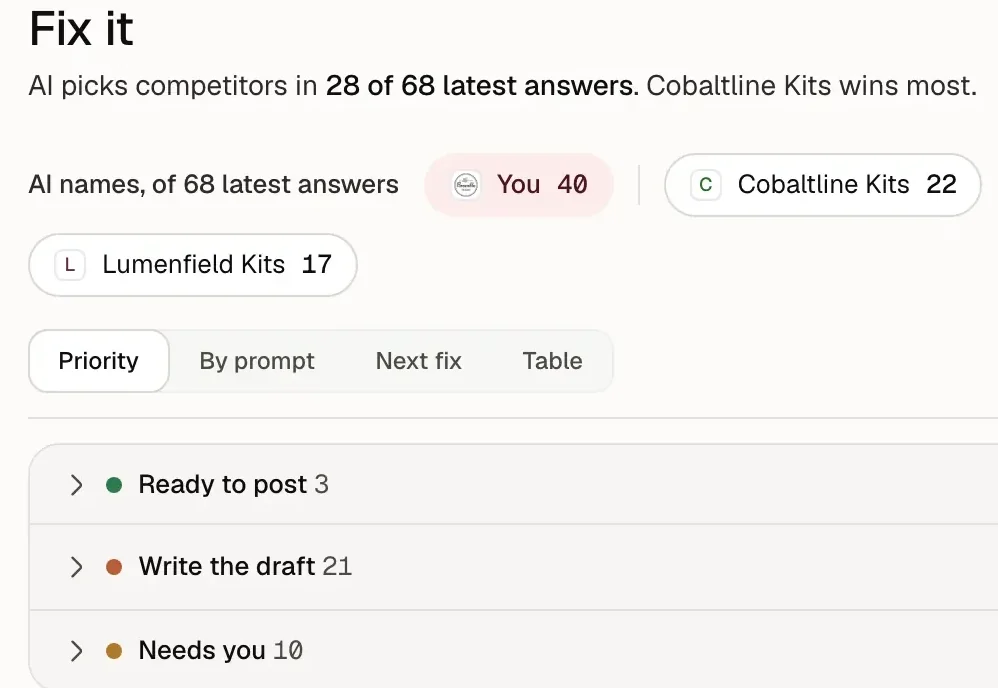
Fix it with the Persona filter open: Everyone, Main buyer, Busy parent of three, Weeknight cook for two.
Pick a persona in Fix it to see only the fixes that win its answers. Sample data.
  • Saving costs nothing. Prompts start turned off; turn them on in the same step or later.
  • Your words win. A name you typed is kept when you Fill.
  • Proof per persona. Results re-asks a persona's prompts after a fix ships and shows before and after.

Availability

Live on every plan. Open AI Visibility, then Personas, and press Create persona.

Start free

Further reading

Published · Questions or feedback? Write to us
Prompts

Does saving a persona start a scan?

No. Its prompts are saved turned off. They are asked only after you turn them on.

What does Fill use?

Up to 4 credits, shown on the button. A fill that fails costs nothing.

Can my clients see personas?

Client logins can read persona reports. Only your team can create, edit or turn prompts on.

See what AI tells each of your customers.