Product2 min read

Drafts now preview in your site's own look

A new page Fix it wrote now previews inside your site's header, hero, fonts and footer, and says plainly that it is not live yet.

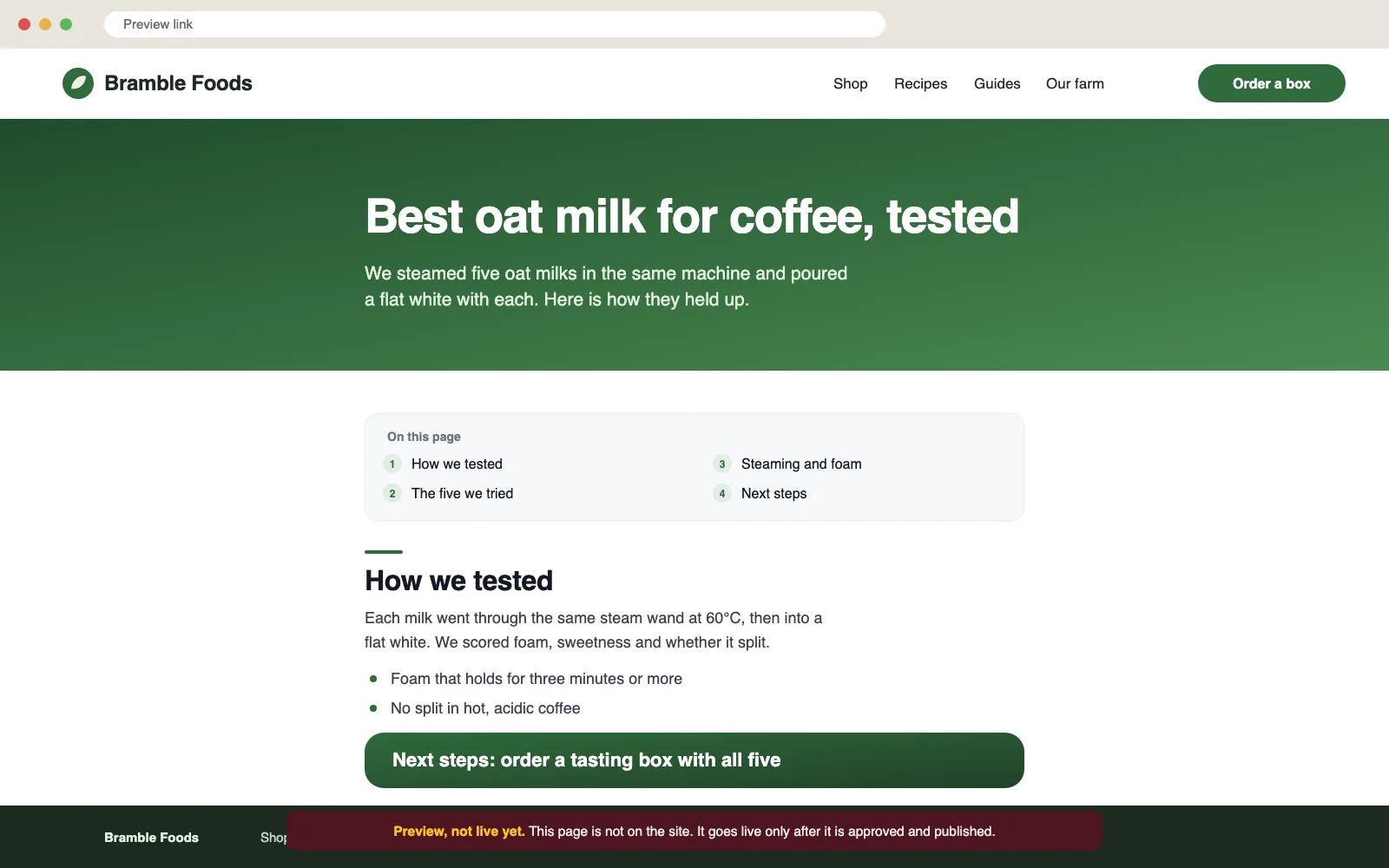
A new guide for the fictional Bramble Foods: the site's header and Order a box button, its green hero band with the new title and lead, an On this page list, a heading with a green accent bar, green list dots, a closing call-to-action card and the site's footer. A burgundy notice at the bottom reads: Preview, not live yet. This page is not on the site. It goes live only after it is approved and published.
A draft opened from its preview link: your header, hero, fonts and footer, marked not live. Illustration, fictional brand.

When Fix it writes a new page you publish yourself, its preview could read as bare text on some sites. Now it opens inside your site: your header, your hero, your fonts, your footer.

Before: bare text
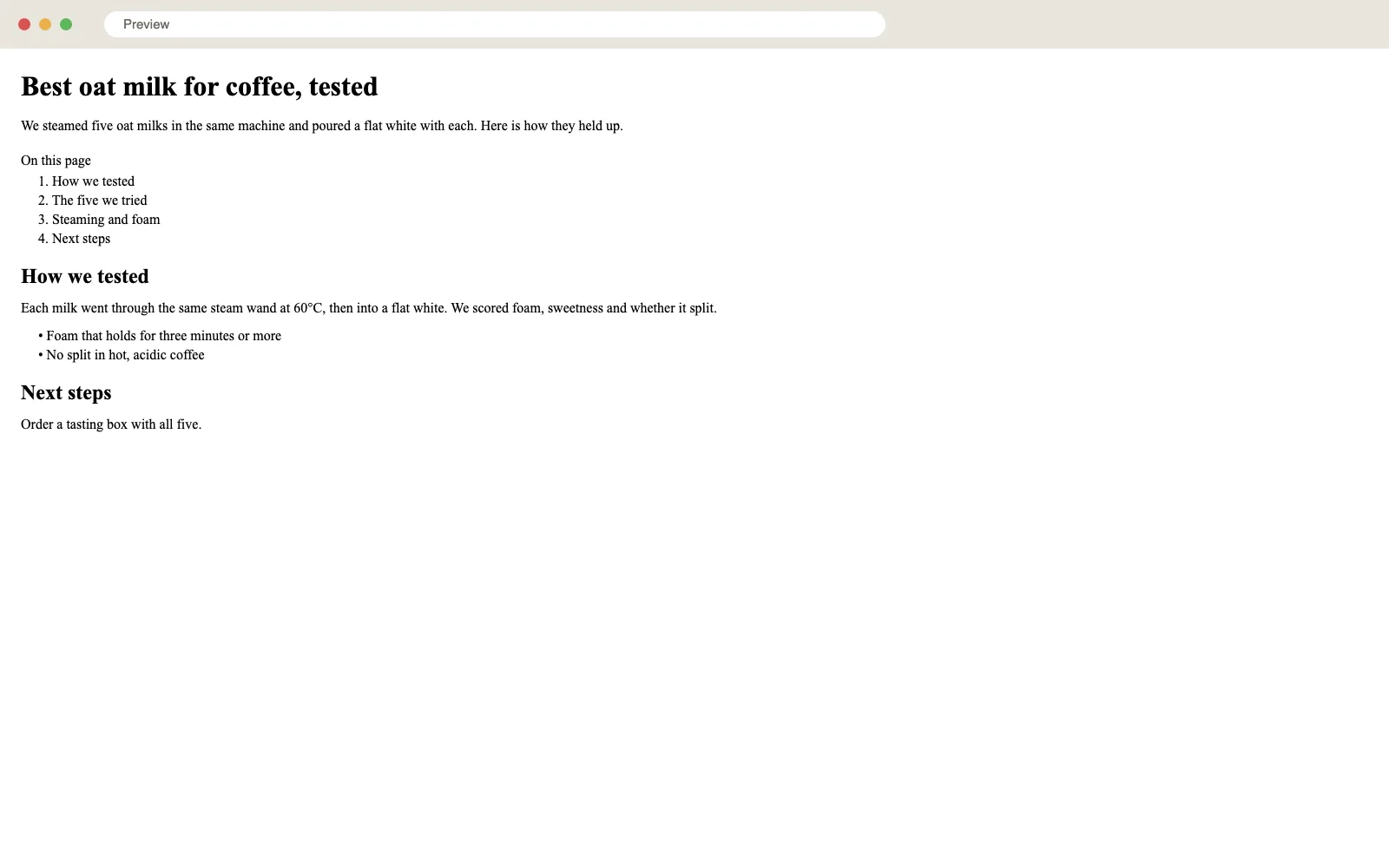
Before: the draft as plain black text in a fallback serif font on white, with no header, hero or footer.
Now: inside your site
After: the same draft in the site's header, green hero band, font, accent colour and footer.
The same draft, before and after. Illustration, fictional brand Bramble Foods.

Your site decides the layout

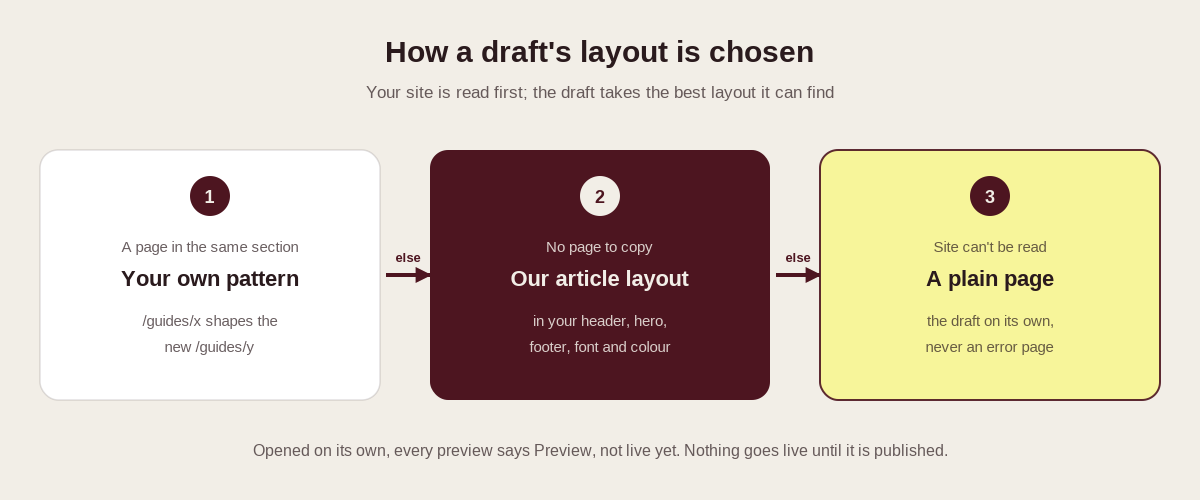
Diagram: a page in the same section gives the draft your own pattern; else our article layout in your header, hero, footer, font and colour; else, when the site can't be read, a plain page.
Your own pages come first. With nothing to copy, the draft reads in a clean article layout dressed in your brand.
  1. Your own pattern

    A page in the same section, like /guides/x, shapes the new /guides/y.

  2. Our article layout

    No page to copy: a reading column in your header, hero, footer, font and colour.

  3. A plain page

    Your site can't be read: the draft on its own, never an error page.

  • Your hero. The new title sits in your own hero band. A hero that is only a photo is skipped.
  • Your fonts. We carry your font files into the preview, so it shows them even when your server keeps them to your own site.
  • Your header and footer. Kept, even when your whole page sits inside one main block.
  • Our article layout. Headings marked in your brand colour, an On this page list, and a closing call-to-action card.

Never mistaken for live
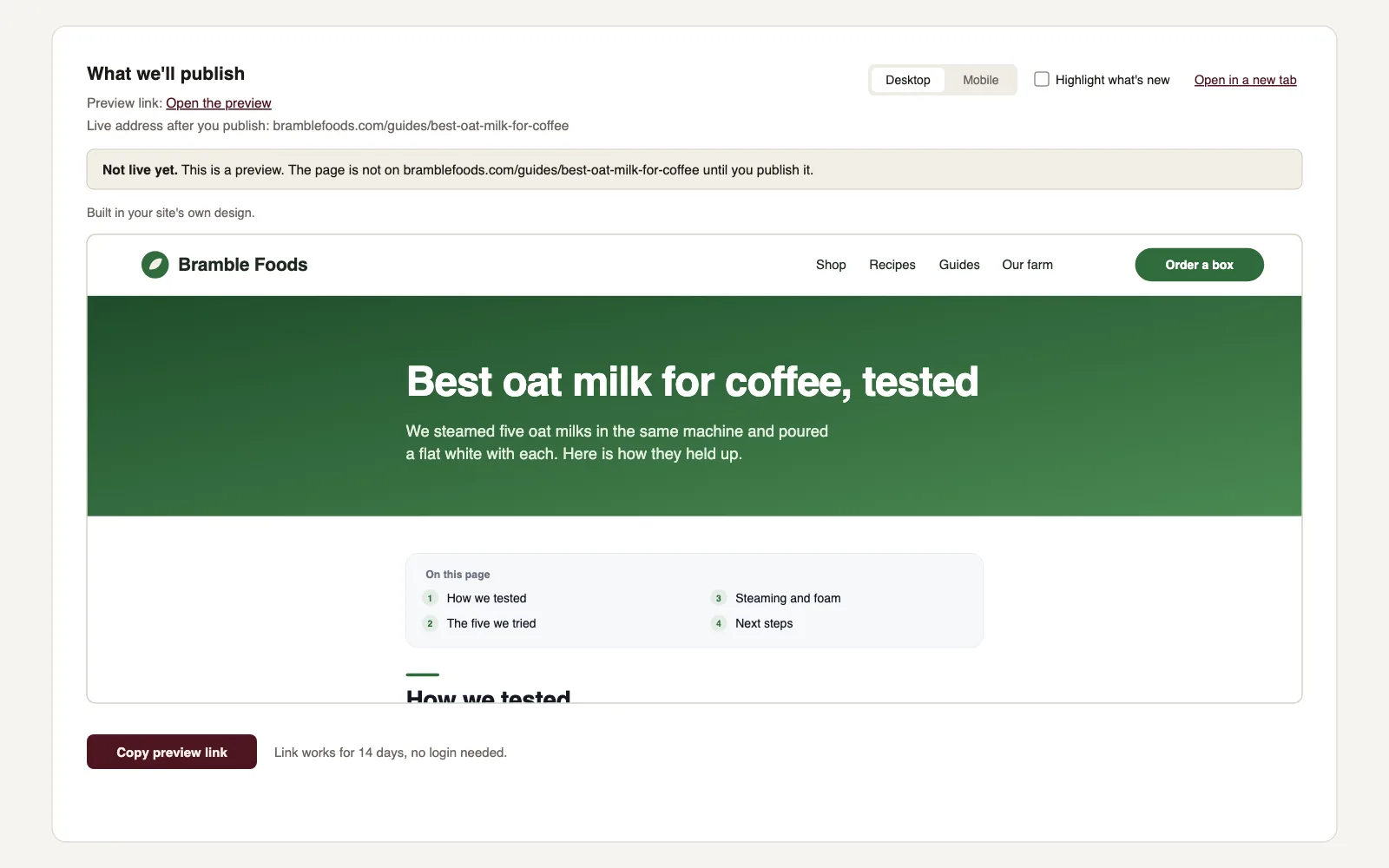
Fix it, What we'll publish: Preview link: Open the preview. Live address after you publish: bramblefoods.com/guides/best-oat-milk-for-coffee. A note reads: Not live yet. This is a preview. The page is not on bramblefoods.com/guides/best-oat-milk-for-coffee until you publish it. Below, the draft in the site's design and a Copy preview link button.
The preview is the link. The future address is plain text until you publish. Illustration, fictional brand.
3
layouts, tried in order
760px
reading column of our article layout
14 days
a shared preview link works, no sign-in

Availability

Live for every brand on Fix it, for any new page waiting for you to publish it. Nothing to turn on.

The Fix it screen

Further reading

Published · Questions or feedback? Write to us
Questions

Which pages get this preview?

New pages Fix it wrote that have no pull request yet: ones you publish yourself, or any page when no site is connected.

Is anything published?

No. The page is not on your site until you publish it. Fix it and the preview both say so.

Can I share it?

Yes. On a started fix, Copy preview link makes a link that works for 14 days with no sign-in. The page it opens says Preview, not live yet.

What if my site has no page like this one?

The draft reads in our own article layout, inside your header, hero, footer, font and brand colour.

See the page before your readers do.