Product1 min read

Done for you, now clearly part of the Managed plan

On Spotlight, Starter and Pro you act from Fix it, with everything prepared. Our team doing the work in your accounts is the Managed plan, labelled the same everywhere.

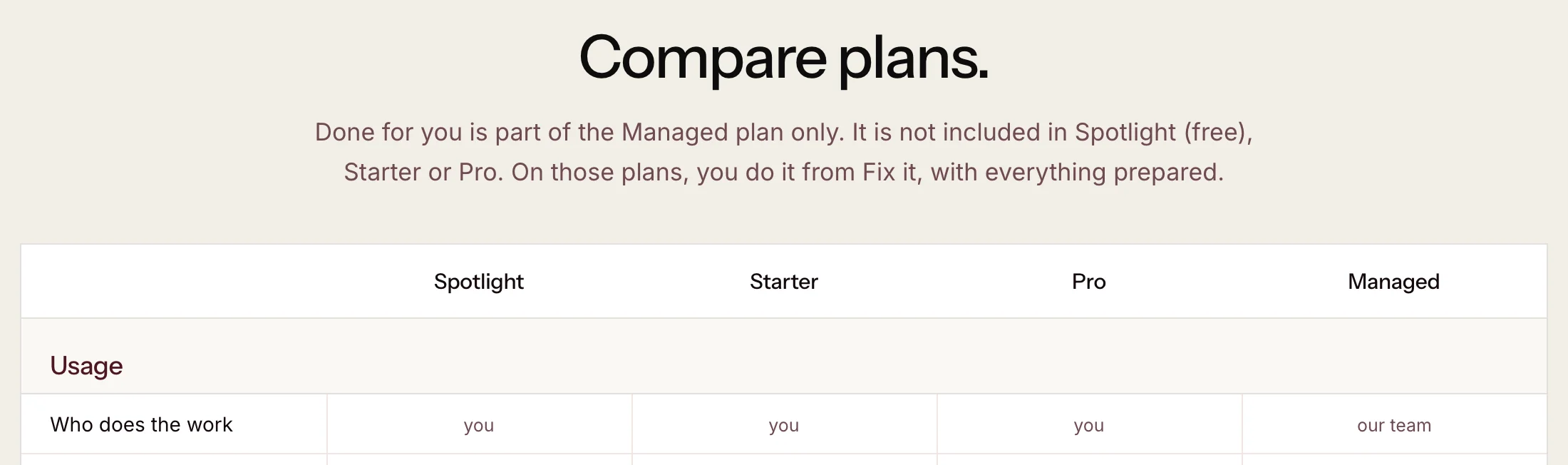
Compare plans on the Pricing page: Done for you is part of the Managed plan only. Who does the work: you on Spotlight, Starter and Pro; our team on Managed.
Pricing, Compare plans: who does the work, plan by plan.

Every plan gets the same prepared work. What changes is who presses the last button. Now every screen says so in the same words.
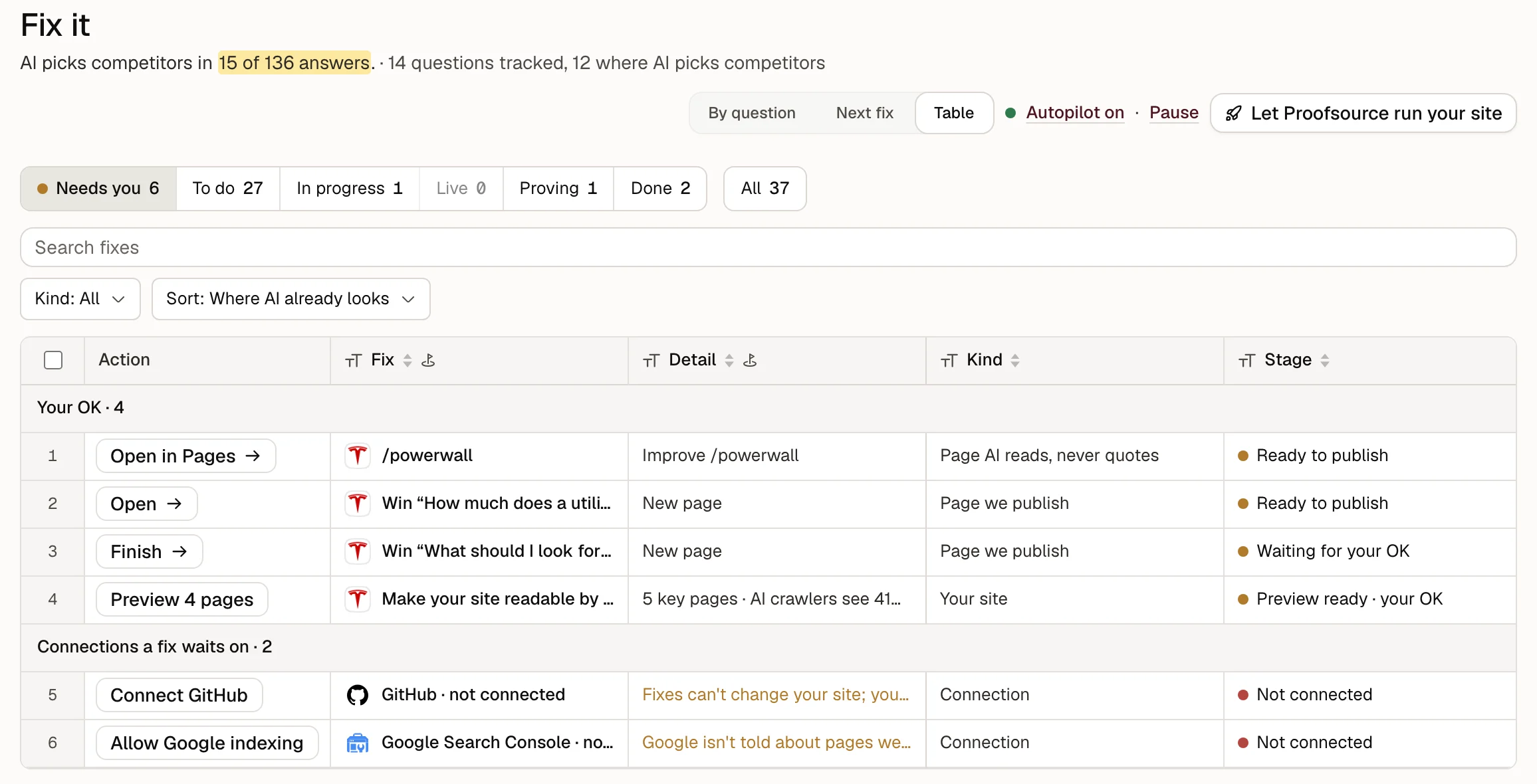
Fix it as the Table: fixes waiting for your OK, such as a page ready to publish and new pages to open, and connections a fix waits on.
Fix it: each fix arrives prepared, waiting for your OK. Sample data.
  • Spotlight, Starter and Pro. You act from Fix it. Proofsource prepares the draft, the sources and the copy to paste.
  • One click where connected. Connect your site or a channel and a fix publishes with your OK.
  • Managed plan. Our team does the work in your own accounts and shows every step.
  • One label everywhere. The app and the site now say Done for you · Managed plan.

The Capterra integration page with the Live and Done for you · Managed plan pills, and Talk to sales about Managed.
Integration pages show the Done for you · Managed plan pill where our team can do it.

Availability

Live on every plan. Done for you comes with the Managed plan.

Compare plans

Further reading

Published · Questions or feedback? Write to us
Questions

Is anything taken away from my plan?

No. Fix it prepares the same fixes. This only names who does the last step.

What does our team do on the Managed plan?

It works in your own accounts, such as your Capterra listing, and shows every step in Proofsource.

How do I move to the Managed plan?

Press Talk to sales on any Done for you card or page. We agree it on a call.

Every fix prepared. You choose who ships it.